

Should you automate all your prospecting to save time? Not necessarily. An effective approach combines relevant data, contextualized messages, and human intervention when the conversation becomes commercial. To reduce repetitive tasks without losing this control, prospecting automation must be integrated into a clear process with validation and tracking rules.
AI-assisted prospecting covers several uses: contact research, enrichment, qualification, writing, follow-ups, and prioritization. However, not all tools offer the same level of autonomy or scope. AI can improve productivity, but data must remain reliable and messages controlled, as highlighted in this IBM analysis on sales prospecting.
What exactly is AI prospecting?
AI prospecting refers to the use of artificial intelligence to assist various stages of commercial prospecting. The tool can identify companies matching an ideal customer profile, complete available information, classify opportunities, and prepare a message tailored to the prospect's context.
The difference from traditional automation primarily lies in adaptability. A pre-written sequence applies pre-defined rules. An AI-assisted system can leverage more signals, reformulate an approach based on available information, and recommend a next action. This distinction does not mean the tool always decides alone. In a serious sales process, humans verify data, adjust messages, and take over when the exchange becomes sensitive or complex.
This evolution addresses a concrete problem: sales reps often spend too much time researching contacts, preparing messages, and remembering follow-ups. A McKinsey study on B2B sales associates personalization and generative AI with a higher probability of market share growth. While this result is not a guarantee for every company, it shows why workflow quality matters as much as action volume.
What distinguishes useful AI prospecting from a simple sequence

Imagine two teams targeting the same market. The first imports a list, applies the same template to all contacts, and schedules three identical follow-ups. The second enriches profiles, adapts the message to each context, pauses actions as soon as a prospect responds, and keeps the history in a shared space. Both use automation, but only the second truly leverages contextualized AI logic.
To evaluate this difference, check the following points:
- Sourcing: Does the tool find new prospects or only work from an imported list?
- Enrichment: Are contact details, job titles, and company information completed where possible?
- Personalization: Does the message consider the profile, company, and available context?
- Follow-ups: Do actions adapt to responses, silence, or new signals?
- Control: Can you verify an action before it's executed?
- Context: Is the history accessible to the entire team, instead of being scattered across multiple tools?
A tool can be effective on just one of these criteria without covering the entire process. An enriched database does not necessarily prepare messages. A sequence tool does not always identify prospects. A text generator does not necessarily manage follow-ups. The right choice is therefore to identify the part of the work that consumes the most time, then check if the solution addresses it directly.
Which solution to choose based on your business need?
There is no universal tool for all teams. A small structure looking to start quickly will not seek the same features as a RevOps team building complex workflows. The table below serves as a practical guide, not an independent ranking of performance.
| Option | Sourcing and Data | Channels | Level of Control | Suitable Profile |
|---|---|---|---|---|
| GetCalls | Continuous sourcing and integrated enrichment | LinkedIn, email, phone | Action validation before execution | Teams seeking a unified workflow |
| Manual Prospecting | Research performed by the team | As desired | Complete human control | Low volume or very specific targeting |
| Pre-written Sequences | Pre-prepared list | Depending on the tool | Pre-defined rules | Repetitive and structured campaigns |
| Lemlist | Research, enrichment, and outbound orchestration | Multichannel approach | Configurable according to workflow | Campaign-oriented teams |
| Waalaxy | Lists and enrichment related to social prospecting | LinkedIn and email | Guided automation | LinkedIn-centric prospecting |
| B2B database, signals, and enrichment | Multichannel | Controls according to functions used | Teams looking for a broad platform | |
| Clay | Data marketplace and custom workflows | According to workflows | Advanced configuration | Technical or RevOps teams |
| Reply | Research, enrichment, and tracking agents | Email, LinkedIn, calls, SMS, and other channels | Configurable automation | Multichannel teams |
1. GetCalls
Ideal for: companies that want to combine research, enrichment, personalization, follow-ups, and tracking into a single prospecting workflow.
We start with your website URL, catalog, or a description of your offer. The system then helps deduce the ideal customer profile, find prospects, and prepare sales actions. LinkedIn, email, and phone are unified in a single inbox with a shared history.
Each action prepared by AI is presented individually for validation before execution. This approach reduces repetitive work while maintaining human verification of messages and initial contacts. It is particularly suitable for teams that want to avoid separately managing lists, enrichments, sequences, and follow-ups.
Advantages:
- Continuous sourcing and analysis of numerous data sources, depending on the prospect's context.
- Enrichment of contact details and preparation of personalized messages.
- Centralization of LinkedIn, email, and phone within a single sales logic.
- One-click validation of prepared actions before execution.
- Free trial without credit card, with 500 credits unlocked after account setup and validation of a first campaign.
- Usage-based pricing, starting from €80 ex-VAT for 1,000 credits, with a volume that can be modified or canceled at any time, without commitment.
Disadvantages:
- Human validation remains a necessary step, as the goal is not to replace the salesperson.
- LinkedIn action volumes are controlled, and the number of prospects depends on the channels and the level of enrichment chosen.
2. Manual Commercial Prospecting
Ideal for: companies dealing with few prospects, targeting very specific accounts, or needing to control every interaction without automation.
The manual method involves defining a list of accounts, researching contacts, verifying information, writing each message, and planning follow-ups. It maintains a high level of personalization and allows the salesperson to directly interpret weak signals, especially in niche markets.
However, it becomes difficult to maintain as volume increases. Research takes time, information can remain scattered, and follow-ups depend on each team member's memory or discipline.
Advantages:
- Direct control over targeting, tone, and timing of each contact.
- Flexibility to handle complex accounts or unusual contacts.
- No specialized tools needed to get started.
Disadvantages:
- Significant time spent on research, preparation, and data entry.
- Risk of duplicates, omissions, and loss of context when a member leaves the team.
- Difficulty in accurately measuring the regularity and performance of follow-ups.
3. Pre-written Prospecting Sequences
Ideal for: teams that already have qualified lists and want to automate repetitive scenarios.
A pre-written sequence relies on a set of messages, delays, and conditions prepared in advance. It can accelerate campaign launch and facilitate practice standardization. This approach remains relevant when the target, value proposition, and use cases are well understood.
However, it should not be confused with truly adaptive prospecting. To go further, automated commercial prospecting must be able to leverage context, stop follow-ups after a response, and evolve the next action according to the situation.
Advantages:
- Quick setup of repeatable campaigns.
- Consistent cadence among sales reps.
- Good option for testing an already defined message or scenario.
Disadvantages:
- Risk of overly generic messages if personalization variables are limited.
- Follow-ups may continue according to a fixed rule even if the context has changed.
- Quality heavily depends on the lists and data prepared upstream.
4. Lemlist
Ideal for: teams that want to structure multichannel outbound campaigns with personalization, enrichment, and tracking features.
Lemlist positions itself as an outbound platform that combines prospect research, enrichment, personalization, and campaigns across multiple channels. This approach may suit teams that wish to centralize campaign preparation and execution rather than juxtaposing several specialized tools.
The main decision point concerns the desired level of automation. A team must check if the workflow allows for action validation at the desired level, how available credits or modules are consumed, and what data is truly accessible for its target.
Advantages:
- Multichannel campaign-oriented approach.
- Personalization and enrichment features integrated into the outbound workflow.
- Suitable for teams that want to structure sales sequences on a larger scale.
Disadvantages:
- Functional richness requires precise framing of channels, rules, and budget.
- The operation may be less suitable for a team that wants to validate each action in a very granular way.
5. Waalaxy
Ideal for: companies that place LinkedIn at the center of their acquisition and want to associate email campaigns with it.
Waalaxy is primarily focused on LinkedIn and email prospecting. The tool allows building lists from profiles, launching sequences, and scheduling follow-ups. It can meet the needs of a team that wants to start quickly with a clearly defined social selling scope.
This specialization is also the main comparison criterion. If your strategy requires phone calls, continuous sourcing from numerous signals, or an inbox combining several channels, you need to check if the tool covers the complete workflow or if it needs to be supplemented by other solutions.
Advantages:
- Clear positioning on LinkedIn and email.
- Guided approach suitable for teams new to social automation.
- Ability to track campaigns and responses in a dedicated environment.
Disadvantages:
- The scope is more naturally suited to LinkedIn and email than to integrated phone prospecting.
- Teams must monitor volumes and applicable rules for their LinkedIn usage.
6.
Ideal for: teams looking for a broad platform combining B2B data, enrichment, sales signals, and campaign execution.
associates a database of contacts and companies with search, enrichment, and sales engagement functions. Its approach suits teams that want to work from a large volume of data and connect multiple process steps in the same environment.
The flip side of a broad platform is the need to clearly define its usage rules. Before choosing this option, verify the actual coverage of your markets, how credits work, the conditions of the channels used, and the level of control available over the generated actions.
Advantages:
- Broad functional scope for sales research and engagement.
- Ability to link data, signals, and actions in the same environment.
- Suitable for teams that want to gradually evolve their workflow.
Disadvantages:
- The breadth of the platform may require more extensive setup and governance.
- An agentic approach is less suitable for a team that wants to systematically review each action before execution.
7. Clay
Ideal for: RevOps, growth, or data teams looking to build highly personalized research and enrichment workflows.
Clay focuses on data orchestration, enrichment from multiple providers, and the creation of custom workflows. It can be relevant when a company wants to combine sources, create its own qualification rules, and trigger actions based on specific signals.
This flexibility generally implies the ability to design and maintain workflows. For a small team simply looking to launch a campaign without significant technical configuration, a more directly operational solution might be more suitable.
Pros:
- Great flexibility for building tailored research and enrichment.
- Suitable for teams that want to work with multiple data sources.
- Ability to orchestrate different tools within custom workflows.
Cons:
- Advanced customization requires time, skills, and regular maintenance.
- The solution is less suitable for a team looking for an immediately ready-to-use sales journey.
8. Reply
Ideal for: Teams that want to manage multichannel sequences and automate part of their sales follow-ups.
Reply covers several engagement channels, including email, LinkedIn, calls, and SMS, with AI-assisted personalization features. This approach can suit organizations that want to test different touchpoints without multiplying sequencing platforms.
The choice, however, depends on the expected level of depth for each channel. A company should check the modules actually included, the cost of data and complementary options, as well as how responses are centralized and transmitted to the sales rep.
Pros:
- Multichannel coverage suitable for various follow-up strategies.
- AI-assisted personalization and follow-up features.
- Ability to centralize multiple types of conversations in one environment.
Cons:
- The large number of channels and modules requires a precise definition of the useful scope.
- Teams must control the quality of data and messages before increasing volume.
Criteria to check before choosing a tool
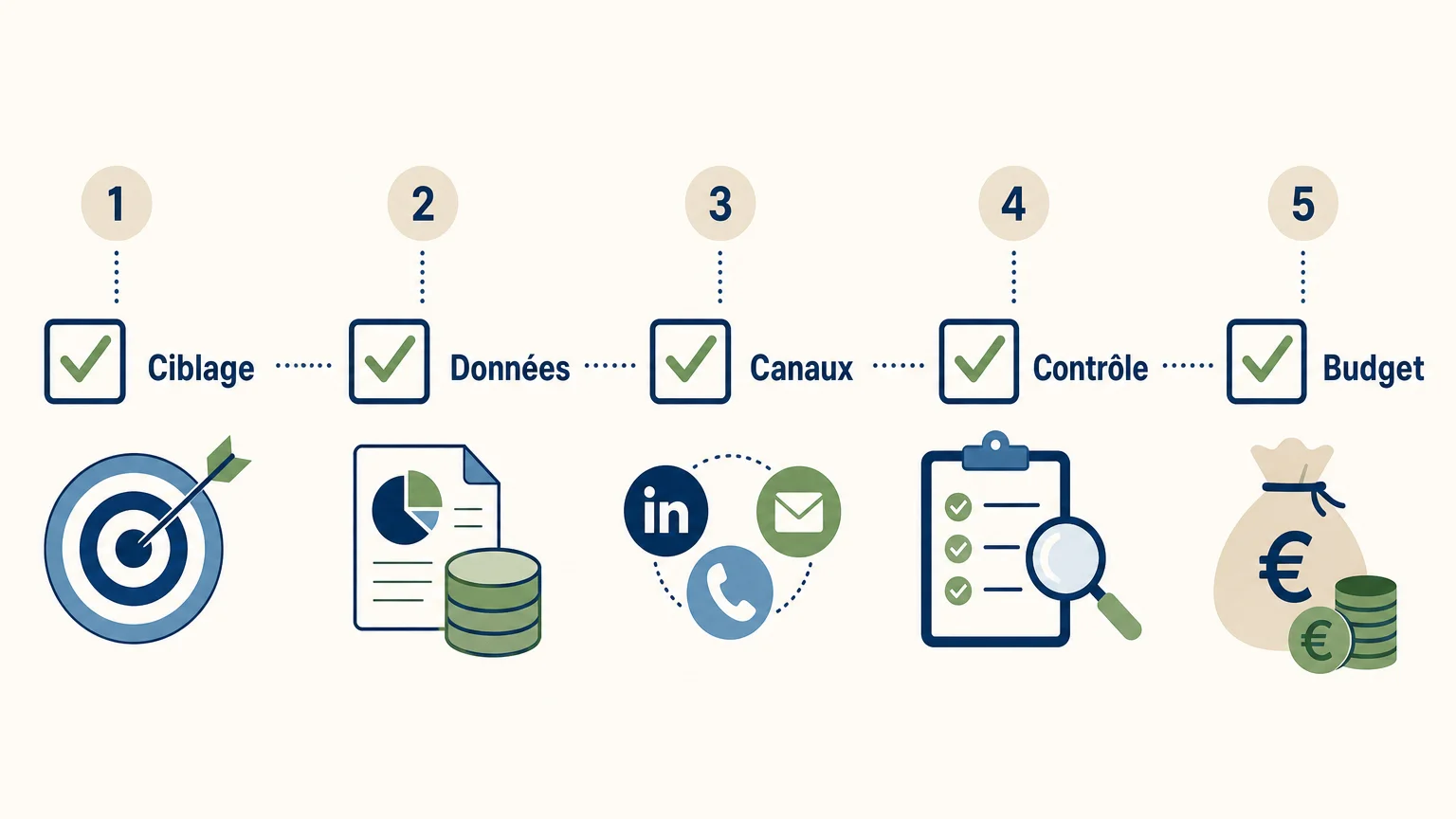
Before comparing solution names, start with your actual process. A tool may seem comprehensive but only solve part of your problem. The following criteria quickly help eliminate bad choices.
Data sourcing and quality
Ask if the tool finds new prospects, enriches an existing list, or does both. Also, check the freshness of information, the sources used, deduplication rules, and the ability to verify addresses before sending. Incorrect data can degrade message relevance and your domain's reputation.
Personalization and follow-ups
A message that only includes the contact's first name is not necessarily personalized. Instead, look for whether the tool can leverage industry, job title, company signals, previous interactions, and the value proposition. Follow-ups should also stop when a prospect responds or asks not to be contacted again.
Channels and centralization
A strategy can combine LinkedIn, email, and phone, but only if the history remains legible. If exchanges are scattered across multiple inboxes and spreadsheets, the sales rep risks contacting a prospect without context or repeating an action already performed. A sales prospecting software must therefore be evaluated on the continuity of the workflow, not just on the number of channels displayed.
Human validation and compliance
Human validation is particularly important when AI writes messages or recommends an action. It helps correct misinterpretations, avoid overpromising, and maintain a brand-consistent tone. For B2B email in France, the CNIL notably emphasizes the importance of information, the simple right to object, and the relationship between the message's subject and the recipient's professional function. Consult its rules on email commercial prospecting before deploying a campaign.
Pricing model
Compare the displayed price with the actual volume consumed. Some tools charge per user, others per contact, credits, validations, or channels. Also ask what happens if enrichment fails, if volume can be adjusted, and if the commitment is annual or monthly.
How to deploy AI prospecting without losing quality?
Start with a limited segment and a measurable objective. For example, choose a specific company type, decision-maker role, and value proposition. Then measure the time spent on research, data quality, response rate, and the number of truly qualified conversations.
- Define your ideal customer profile and exclusions.
- Check a sample of prospects before launching a large volume.
- Prepare several message angles based on identified problems.
- Set rules for stopping after a response, an appointment, or an objection.
- Analyze results and refine targeting before increasing volume.
This method avoids confusing automation with industrializing copy-pasting. The goal is not to send more messages at all costs, but to dedicate human time to prospects who have relevant context or genuine intent.
Which approach should your company adopt?
AI prospecting is relevant when your teams waste time on research, enrichment, and follow-ups, but it does not replace commercial judgment or the relationship with the prospect. Pre-written sequences suit repetitive scenarios, data platforms meet sourcing needs, and custom workflows are more for technical teams. If you are looking for a unified process with LinkedIn, email, phone, and human validation of actions, prioritize a solution designed around the sales context rather than a simple sending tool.
Launch your prospecting with a controlled AI agent
If your team wants to reduce time spent on research and follow-ups while maintaining control over sent actions, our approach can meet this need.
With GetCalls, prospects are continuously researched and enriched, messages are prepared according to context, and each action can be validated before execution. The free trial is accessible without a credit card, with 500 credits unlocked after account setup and validation of a first campaign. Discover our AI prospecting agent.
Frequently asked questions
Does AI prospecting replace sales reps?
No. It handles or prepares certain repetitive tasks, such as research, enrichment, writing, and follow-ups. The sales rep maintains the relationship, judgment, and validation of actions when necessary.
What is the difference between an automated sequence and an AI prospecting tool?
An automated sequence typically follows predefined rules and messages. An AI-assisted tool can leverage more context to qualify prospects, adapt messages, and recommend a next action.
Which tool should I choose for prospecting across multiple channels?
Compare the actual coverage of LinkedIn, email, and phone, then check if the history is centralized. A multichannel solution is useful only if actions remain coordinated and understandable for the team.
How can I maintain human control over generated messages?
Choose a tool that presents actions individually before execution. This allows you to review the targeting, context, and tone of the message, then correct or reject an unsuitable proposal.
How much does an AI prospecting tool cost?
The price depends on the billing model, number of users, credits, channels, and level of enrichment. At GetCalls, the stated price is €80 ex-VAT for 1,000 credits, with adjustable or cancellable volume without commitment.