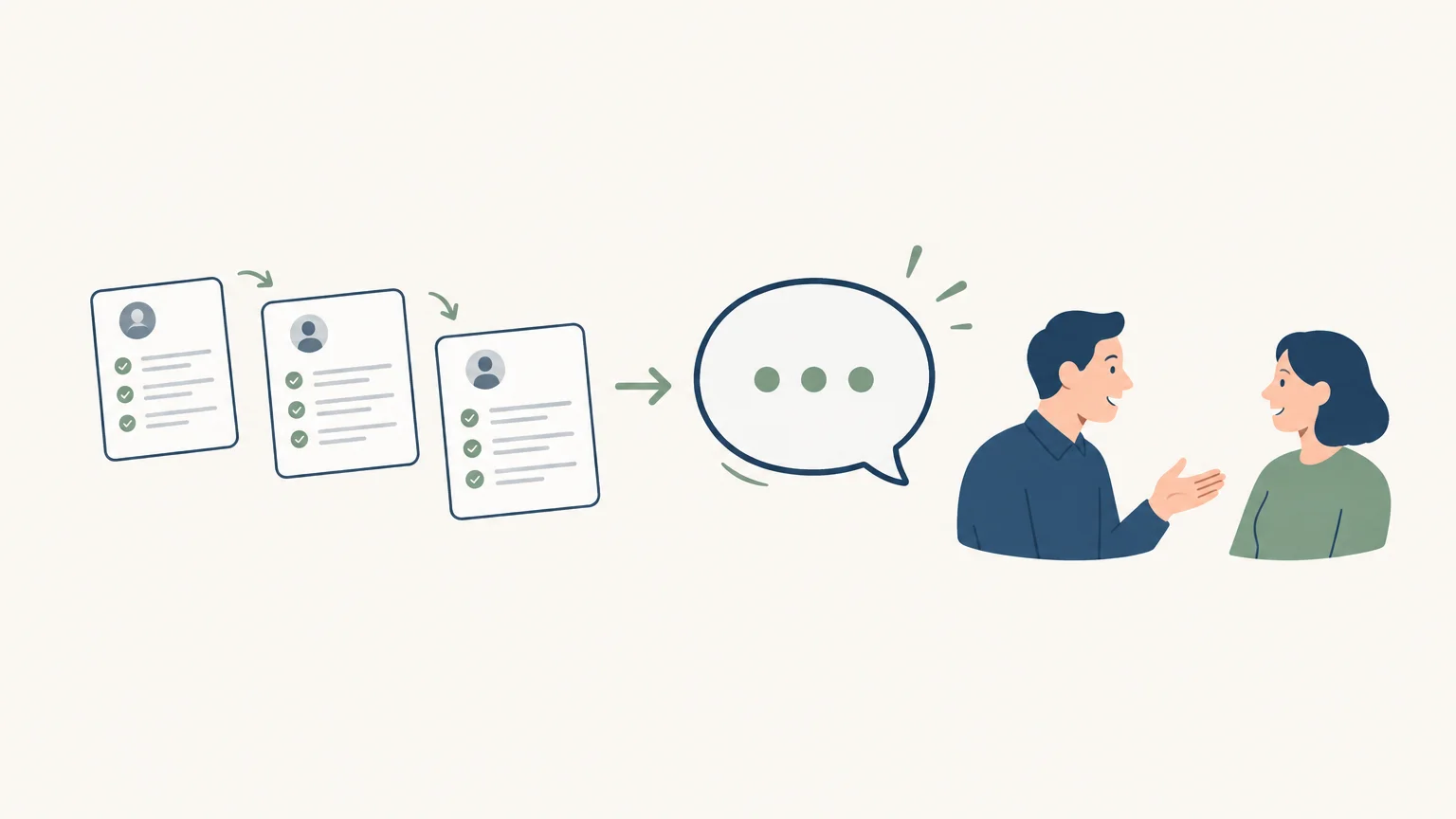
A useful follow-up starts with a specific event, references the conversation, and suggests a clear next step. Automating this process does not mean sending the same message to every prospect: it is primarily about avoiding reliance on memory and preparing actions at the right time. To apply this approach across your prospecting efforts, you can automate your sales prospecting while leaving room for the sales rep’s judgment.
A good process connects a trigger, a date, a tailored message, and a stop rule. It helps you follow up on a quote, conversation, or proposal without overwhelming prospects with messages. Results depend less on the number of reminders than on their relevance and your ability to respond to feedback.
What does automating a sales follow-up mean?
After a proposal has been sent, a reminder can alert the sales rep that it is time to reconnect. A message generated from the conversation history can also reference the prospect’s stated need and suggest a suitable next step. In both cases, automation organizes the follow-up; it cannot build a meaningful sales relationship on its own.
An automated sales follow-up is an action prepared or triggered by a predefined rule, for example after a meeting or after sending a quote. It can take the form of a task, a draft to review, or a message sent according to the chosen workflow. The distinction matters: automating a reminder lets the sales rep decide what to say, whereas sending a message without review can overlook the context or a recent reply.
The nature of the message matters too. The CNIL distinguishes between commercial, transactional, and relationship communications because their purpose determines which rules apply. Its page updated on June 10, 2026 explains the CNIL’s distinctions for electronic communications.
How do you choose the trigger and timing?

A schedule becomes more relevant when it reflects what actually happened. After a meeting, a follow-up can revisit an unanswered question. After sending a quote, it can confirm receipt or offer to clarify a point. Elapsed time alone does not justify another message if the prospect has already replied, asked for more time, or declined.
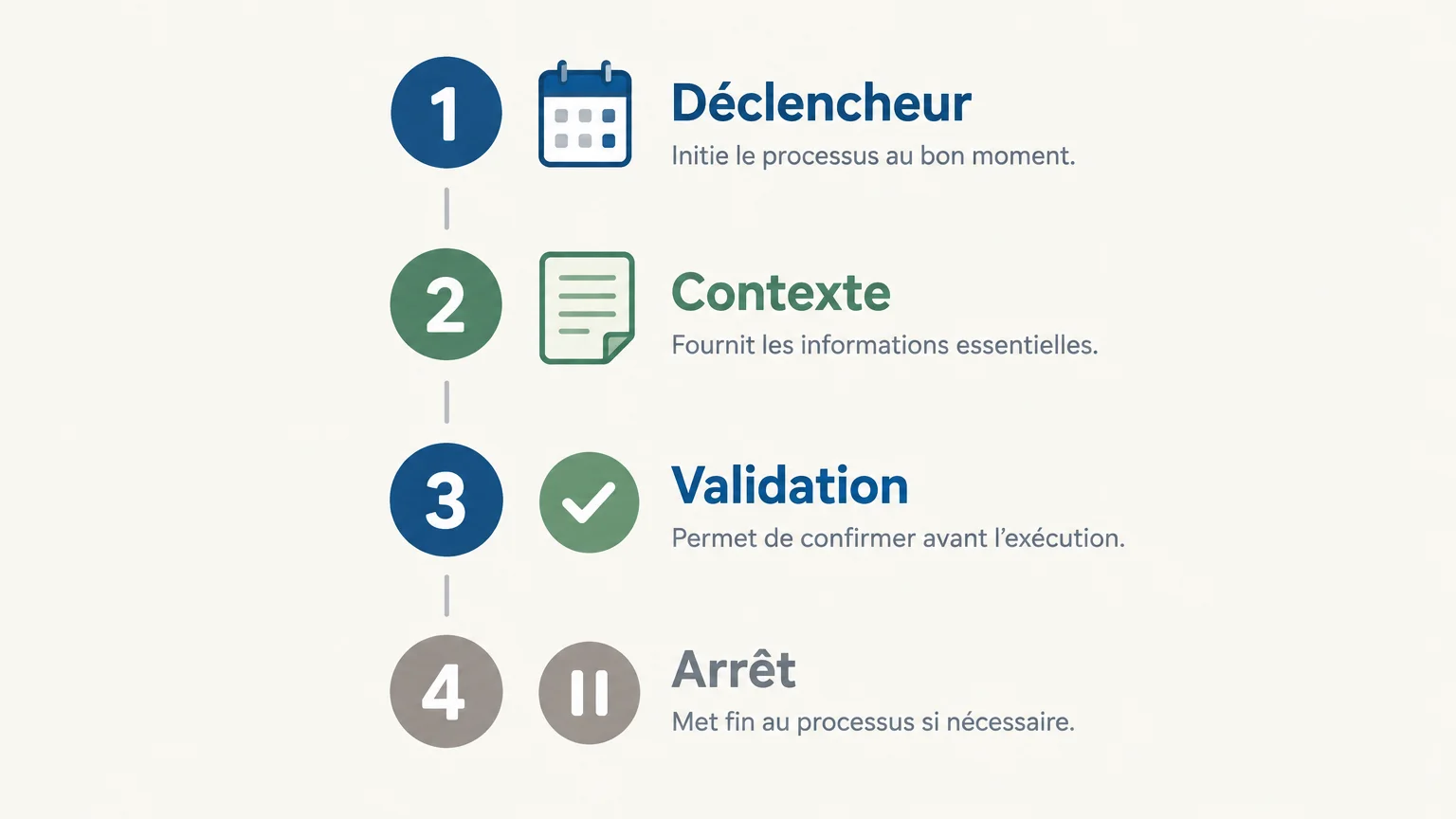
First, define the follow-up trigger: a proposal sent, a conversation completed, promised information, or a discussion to resume. Then set a date that aligns with the agreed next step. For example, if a prospect asks for a proposal after a meeting, record the topic discussed and agree on a time to revisit it. The reminder then follows from that commitment rather than a one-size-fits-all sequence.
Set an initial cadence, then adjust it to your sales cycle and the feedback you receive. Each follow-up should have a different purpose: confirming receipt, providing useful clarification, answering a question, or closing the loop. As soon as a prospect replies, reassess the next steps rather than automatically continuing the original sequence.
How do you personalize messages and stay in control?
A message feels impersonal when it could be sent to any prospect. To make it useful, reference a verifiable detail from the conversation: a stated need, an objection, a decision to be made, or promised information. Add a simple next step, such as answering a question or scheduling a conversation.
Follow-up personalization also depends on the quality of the information available. If the context is incomplete, it is better to ask the sales rep to review the draft than to fill in the gaps with assumptions. In our approach to automated prospecting, AI prepares actions and presents them individually for approval before execution. This keeps the sales rep in control of both the message and the relationship.
Set a simple control rule: pause the sequence after a reply, a refusal, or a request not to be contacted again. A complaint, a significant objection, or a sensitive negotiation should also be handed back to a person. Automation is useful for remembering and preparing; it should not prevent you from listening to what the prospect is saying.
Which sales follow-up tool should you choose?
A small team can start with a shared calendar or contact management tool, provided deadlines, statuses, and conversation histories are kept up to date. If follow-ups span several channels or team members, a more integrated tool helps bring together the context and next actions. The choice should reflect your actual process, not the number of features advertised.
Before choosing a sales follow-up tool, check that it lets you define triggers, tailor messages, track replies, and stop messages in time. Also consider who approves messages, how conversation history is stored, and how results are reviewed. To put reminders in the context of your broader prospecting process, our article on the outbound prospecting workflow builds on these criteria.
Our prospecting agent prepares personalized messages and follow-ups, then presents them to the user for approval before execution. LinkedIn, email, and phone are brought together in a single inbox with a shared history. This setup suits teams that want to automate preparation and follow-up without handing the entire relationship over to a fixed sequence.
Cost should be assessed against actual usage. With our service, 1,000 prospecting credits cost €80 excluding VAT, and the monthly volume can be adjusted or canceled with no commitment. The 500 trial credits are unlocked without a credit card after you set up your account with LinkedIn or email and approve your first campaign. These credits cover prospecting actions, so consumption depends on the actions performed rather than a fixed price per follow-up.
Which metrics should you track to improve the sequence?
A team that sends regular reminders can start by comparing the replies received at each step. Also track meetings booked, conversations resumed, refusals, and requests not to be contacted again. These metrics show whether a step genuinely helps the prospect move forward or simply adds another touchpoint.
Analyze results by trigger, prospect type, and channel, without drawing conclusions from a small sample. If replies come after a follow-up that provides specific clarification, give that type of message more emphasis. If a step leads to refusals or gets no response, review its purpose, timing, and the context used before changing the entire sequence.
Finally, keep a record of changes: which rule was updated, when, and what results you observed. This discipline helps you avoid mistaking a short-term fluctuation for a lasting improvement and makes it easier for sales reps to share what they learn.
Which rules should you check before launching follow-ups?
Before activating a follow-up, check who it is intended for, what its purpose is, and which channel it uses. In France, the requirements depend in particular on the nature of the message and its recipient. For email prospecting, the Ministry of the Economy’s guidance dated September 8, 2026 details commercial email requirements.
In a B2B context, do not confuse a business email address with blanket permission to contact its owner. Make sure your outreach relates to their professional activity, that they are informed, and that they can easily opt out. Also check that opt-out requests and refusals are reflected in the list your team uses, so an old rule does not trigger another unwanted message.
Not all channels are subject to the same rules. The France Num guide brings together guidance on prospecting rules across channels and B2B or B2C situations. Consult the France Num guide when reviewing the full process, from collecting contact details to handling an opt-out.
The right approach to automating follow-up
Automated sales follow-ups are useful when they rely on a clear trigger, reliable context, and a stop rule that is consistently enforced. Start with a simple workflow tied to an actual stage of the sales cycle, then monitor replies and adjust the timing. Automate reminders and message preparation, but retain human approval for conversations that require listening, judgment, or negotiation.
Structure your follow-ups with the right tool
When follow-ups span multiple sales reps and channels, keeping the context and next actions visible becomes essential. Our prospecting agent prepares messages and follow-ups based on the available information, then lets you approve actions before they are carried out.
You can try the service without a credit card: 500 credits are unlocked after you set up your account and approve your first campaign. Your monthly volume can be adjusted or canceled with no commitment. To see whether this approach fits your team, explore the sales follow-up solution.
Frequently asked questions
Can you automate an entire follow-up sequence?
Yes, dates and some messages can be prepared in advance. However, it is best to pause the sequence as soon as you receive any reply or refusal, or encounter a situation that calls for a personalized conversation.
How long should you wait between follow-ups?
There is no single cadence that works for every sale. Consider the timeline agreed with the prospect, the complexity of your offering, and the real value of the next message.
How can you avoid impersonal messages?
Reference a specific detail from the conversation and give each message a distinct purpose. If there is not enough context, have the draft reviewed rather than sending a generic message.
When should you stop an automated follow-up?
Stop the sequence as soon as a prospect replies, declines the proposal, or asks not to be contacted again. An objection or negotiation should also be handled directly by a sales rep.
Can GetCalls help prepare follow-ups?
Yes. Our agent prepares personalized follow-ups and presents them to the user for approval before execution, with conversations tracked in an inbox that brings multiple channels together.