
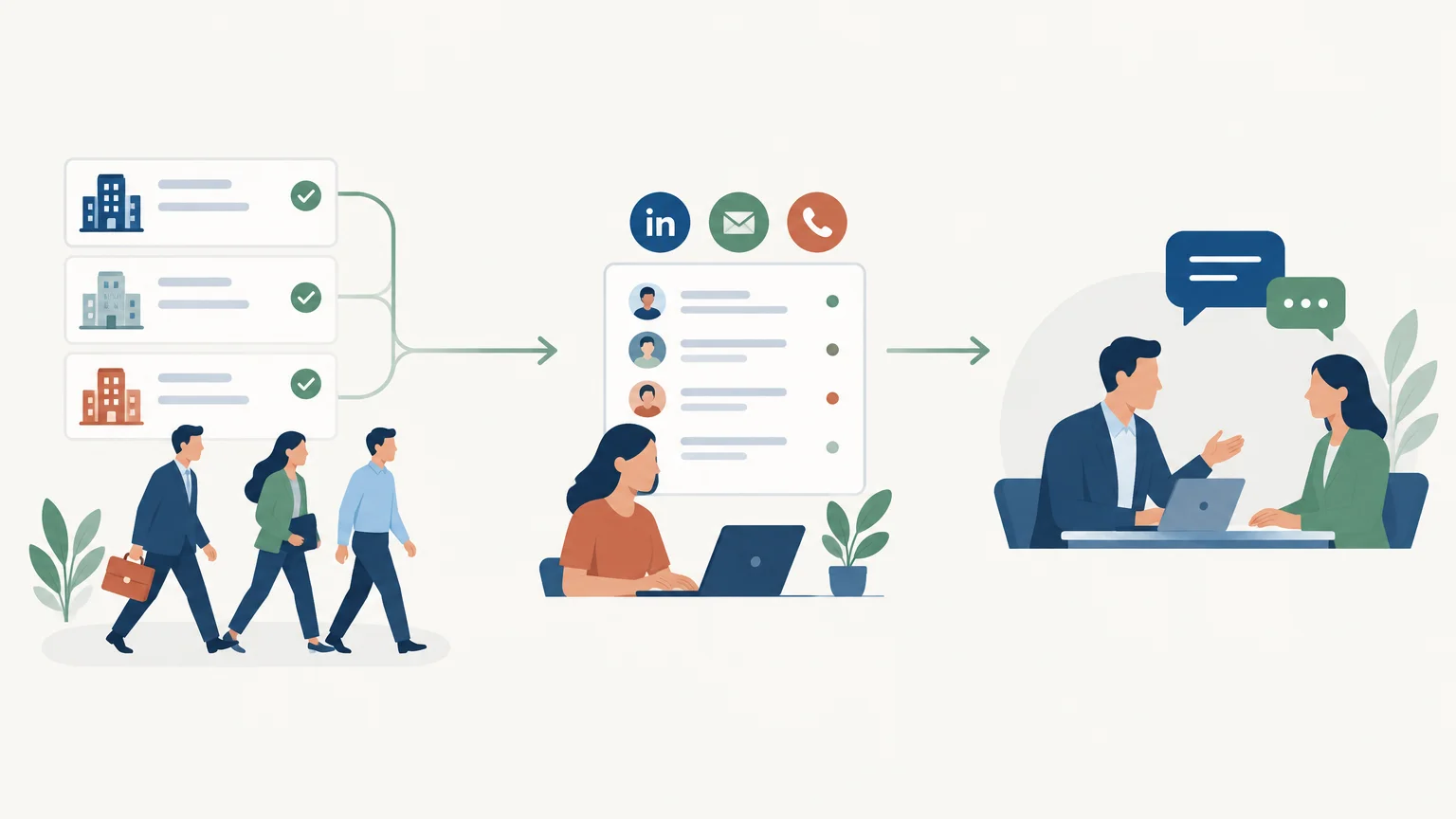
Good prospecting is not about reaching more people. It is about knowing what action to take for each prospect and recording it. An outbound prospecting workflow turns that approach into a repeatable process. If you automate certain tasks, start by clarifying where they fit into the journey, as outlined in the stages of automated prospecting.
In practice, this workflow connects targeting, qualification, outreach, and follow-up. You can manage it manually at first, then introduce tools when volume, team size, or missed tasks make the approach difficult to sustain. The key is to maintain a clear structure, relevant messaging, and a defined next action for every prospect.
What is an outbound prospecting workflow?
Imagine a prospect record that simply says “contacted.” It does not specify which message was sent, what response came back, or what happens next. An outbound prospecting workflow prevents this loss of context by defining a series of actions and decisions: who enters the process, what happens next, and when to stop or adjust follow-up.
A simple way to design one is to distinguish four elements:
- The trigger, which brings a prospect into the process, such as being added to a targeted list after verification.
- The criteria, which determine whether the prospect fits your target profile and which approach suits them.
- The actions, such as drafting a message, scheduling a call, or creating a follow-up task.
- The exit conditions, which stop follow-ups after a reply, rejection, opt-out request, or status change.
A description of the GTM Engineer role published by GetPro illustrates this operational logic: information is collected, enriched, checked, then passed to the right tool or person. For a sales team, this definition is a reminder that a workflow goes beyond scheduling messages. It must also protect data quality and clarify who takes over next.
Define an actionable target profile and trigger
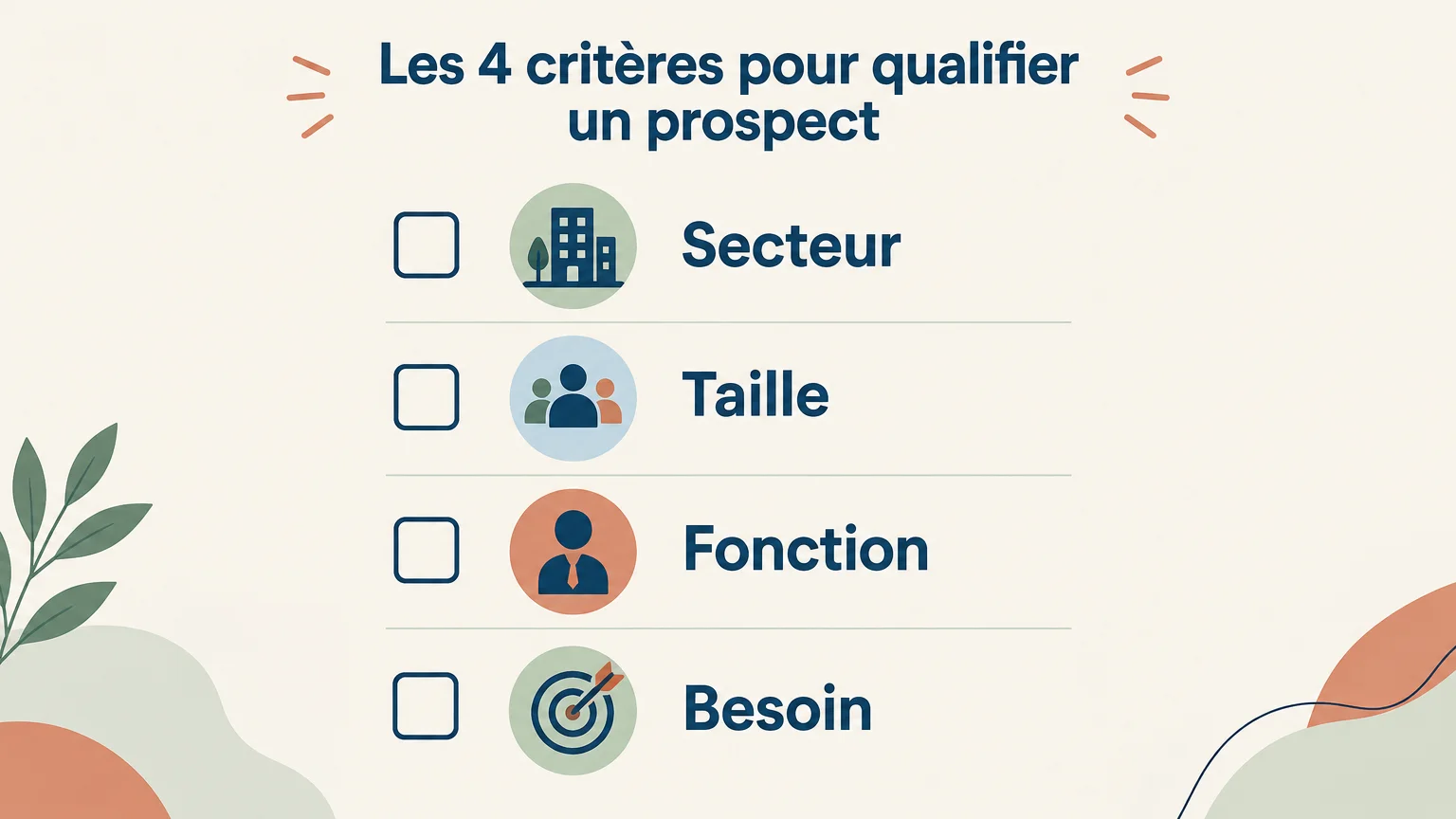
Before choosing a tool or channel, describe the type of company you want to contact and the person who could benefit from your offer. An actionable target profile goes beyond a job title: depending on your business, consider the industry, organization size, role, and a need you can address.
Next, link a trigger to a concrete reason to act. This might be an account being added to a qualified list, a known job change, or an incoming inquiry. A signal calls for verification, not an automatic conclusion: it does not, on its own, prove that the company will buy. Record why the prospect was selected and the information needed to personalize the first contact.
Finally, define exclusions before launching: existing customers, contacts outside your target profile, or people who no longer wish to be contacted. Checking the list at this stage avoids spending time on poor-fit contacts and helps the team apply consistent criteria.
Organize outreach and follow-ups
An effective sequence coordinates touchpoints without repeating the same message. Choose the channel based on the context and available information, then give each interaction a distinct objective: start a conversation, share something relevant, or suggest a next step.
For example, a team might start with a brief email referencing a specific business challenge. If no reply arrives within the agreed timeframe, they could schedule a follow-up that adds new information, then create a call task where a call makes sense. The number of attempts and the time between them should reflect your sales cycle and follow-up capacity, rather than a cadence copied without consideration.
For email outreach, separate message preparation from scheduling: verify the recipient, the relevance of your reason for reaching out, and their ability to reply or opt out. Explore these choices further with email prospecting. If your team uses multiple channels, record interactions in one place to avoid sending a message that ignores an ongoing conversation.
A lead generation template published by FlowHunt describes a progression from researching companies to identifying contacts and gathering information. It is an example of how to break down the process, not a universal sequence: adapt each stage to your target audience, then explicitly decide when human involvement is needed.
Plan for branches, checks, and exits
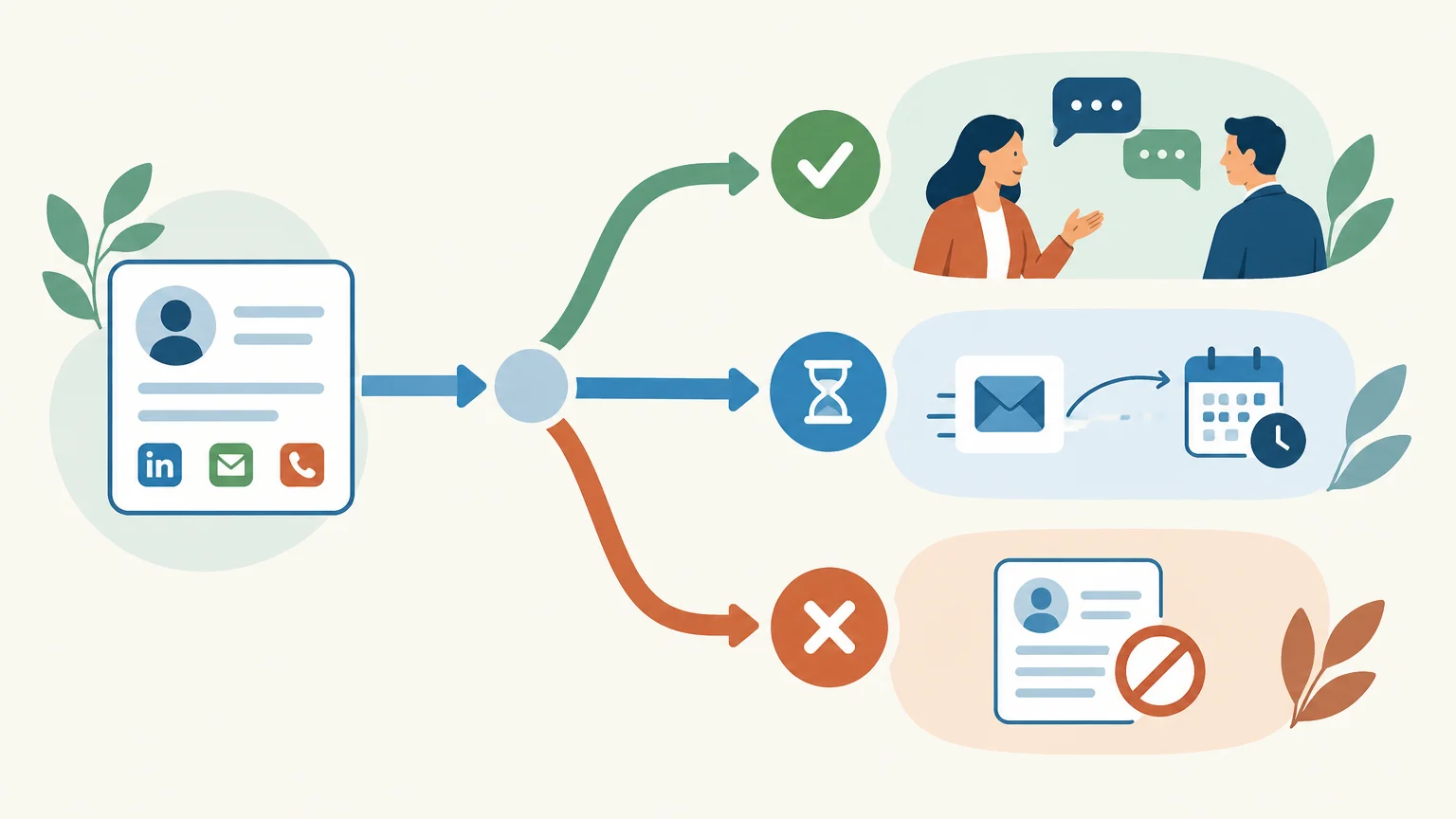
A fixed sequence does not suit every situation. If a prospect responds positively, the process should stop scheduled follow-ups and pass the context to the sales rep. If they decline, outreach stops. If there is no response, another action is only justified if it offers a useful angle and follows the team’s contact rules.
These branches can remain simple. For example: “reply received” creates a task for human follow-up; “incomplete contact details” sends the record back for verification; “no reply within the planned timeframe” suggests a follow-up or closes the journey according to the established criteria. Document each rule with its owner, timing, and effect on the prospect’s status.
Automation can prepare an action, record information, or flag a step that needs attention. It should not be confused with the sales decision itself. At GetCalls, AI-prepared actions are presented individually for approval before execution, giving the team a checkpoint for messages and follow-ups.
Measure workflow performance and choose the right tools
Once the process is running, measure the stages that inform decisions. The number of contacts added does not tell you whether you are targeting the right people. Instead, track replies, qualified conversations, booked meetings, and prospects who leave the workflow after declining or opting out. Compare results by segment or channel when volumes are large enough to provide meaningful insights.
If a stage generates few replies, first check list quality and the reason for reaching out. If replies arrive but do not lead to a useful conversation, review the relevance of your offer and your qualification process. Change one element at a time, then observe the effects over a period that makes sense for your sales cycle. Avoid treating a small number of responses as conclusive evidence.
A shared spreadsheet may be enough for one person testing a simple approach. When several sales reps work on the same accounts, follow-ups overlap, or tracking becomes difficult, a centralized workspace and reminders can help maintain continuity. To explore the types of solutions available, see sales prospecting tools, then choose based on your actual needs, approval rules, and existing tools.
GetCalls brings prospect research and enrichment, message preparation, and conversations across LinkedIn, email, and phone into a single inbox with a shared history. The service states that it analyzes more than 50 data sources, though this does not mean every source is consulted for each prospect. Credit allocations can be adjusted or canceled with no commitment; prepared actions require approval before execution.
Method before automation
A strong outbound prospecting process starts with a verifiable target profile, a clear reason to reach out, and a documented next action. Plan branches based on responses, explicit exit conditions, and a few metrics that help refine the process. Then automate repetitive tasks while keeping human oversight of the interactions that shape the sales relationship.
Bring structure to your daily prospecting
When research, message preparation, and follow-ups are spread across multiple tools, context can get lost and actions can remain pending. A centralized approach can help maintain a shared view of the journey while leaving the sales rep in charge of the conversation and approval of prepared actions.
With GetCalls, you can try a prospecting agent without a credit card. Once you have set up your account with LinkedIn or a connected email account and approved your first campaign, 500 credits are unlocked. Discover how to automate your prospecting while staying in control of the actions that require your approval.
Frequently asked questions
What is the difference between a prospecting workflow and a sequence?
A sequence generally describes an ordered series of outreach attempts. A workflow can also include entry criteria, branches based on responses, tracking updates, and exit conditions.
Which stages should an outbound prospecting workflow include?
Define your target profile, verify the data, choose the trigger, prepare actions and follow-ups, then specify exit rules and the metrics to track. The exact order depends on your offer and sales cycle.
Should every outreach attempt be automated?
No. Automation can help prepare repetitive actions and organize follow-up, but it does not replace sales judgment or conversations with prospects. Keep approval checkpoints wherever the context or relationship calls for them.
Which metrics should you track to evaluate the workflow?
Track replies, qualified conversations, booked meetings, and workflow exits by segment and channel. These metrics help identify stages to revisit without reducing the evaluation to the number of messages sent.
How can GetCalls fit into this approach?
GetCalls centralizes sourcing, enrichment, action preparation, and conversation tracking across LinkedIn, email, and phone. Prepared actions are presented individually for approval before execution.