
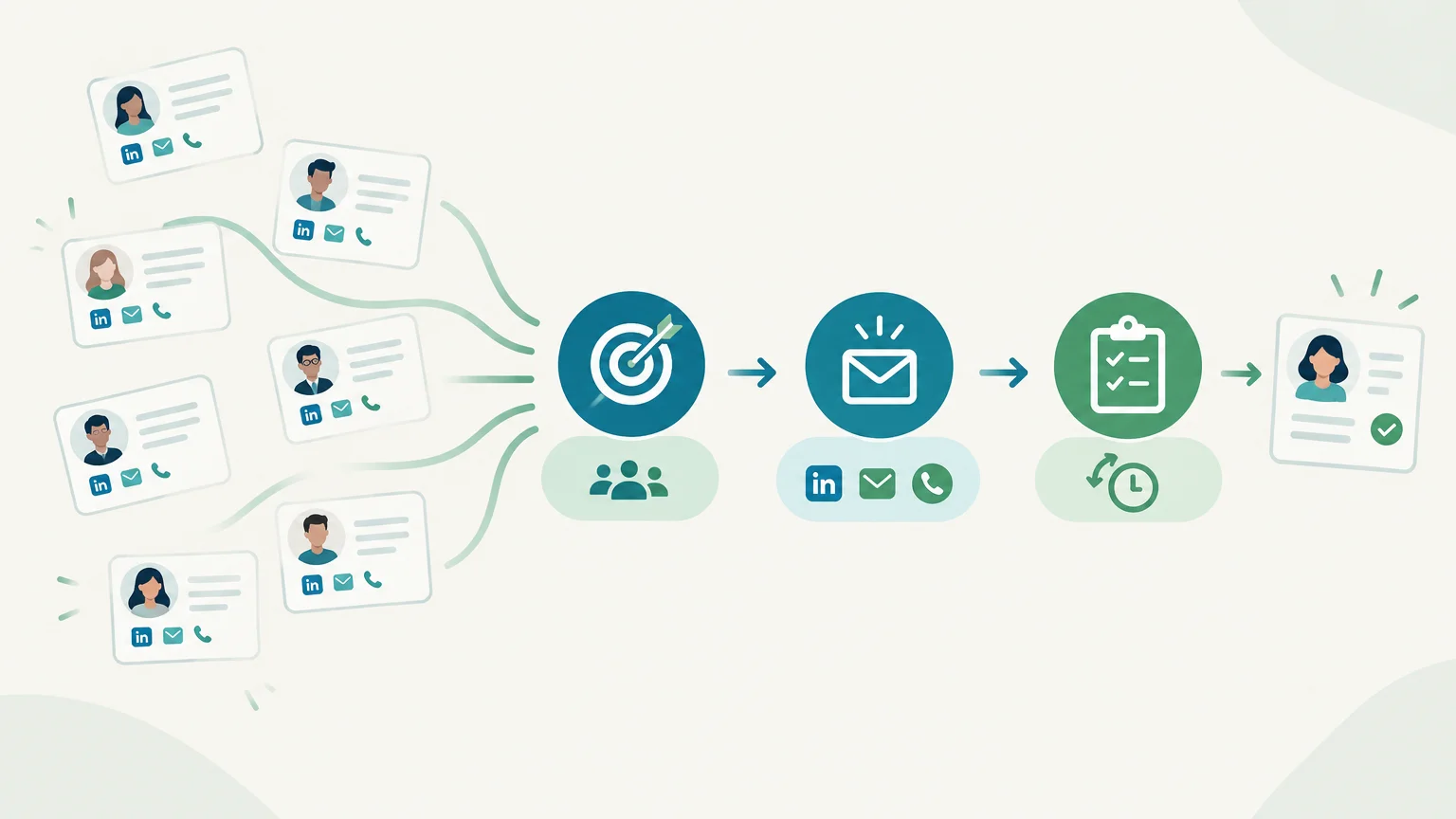
A spreadsheet may be enough to track a handful of contacts. As your prospect list grows, information, conversations and follow-ups can become scattered. Sales prospecting management software brings structure to these steps and gives your team a shared view. For businesses primarily looking to organize their search for new prospects, our article on customer prospecting software also explores how to choose tools for this purpose.
The first question is not which software has the most features, but which tasks your team needs to manage more effectively. Some solutions help you find contacts, others prepare messaging sequences or track opportunities. Understanding these roles helps you choose a tool that fits your existing process, without paying for unused features or duplicating data entry.
What does sales prospecting management software cover?
Imagine a team that finds a contact in one tool, enriches their record elsewhere, exchanges emails and logs the outcome in a spreadsheet. Prospecting management software brings together some or all of these tasks: targeting, qualification, outreach preparation, follow-ups and response tracking. Depending on its focus, it may also centralize contact details and conversation history.
This type of tool should not be confused with a database, which primarily helps identify companies or contacts, or with a general-purpose CRM, which often covers more stages of the customer relationship. The boundaries vary by solution: one platform may combine research and campaigns, while another focuses on pipeline tracking.
What matters most is keeping information connected. When a prospect replies, their history and the next action should be accessible to whoever picks up the conversation. For a closer look at this stage, our article on lead management software explains how to structure contact tracking.
Which stages does your tool actually need to cover?

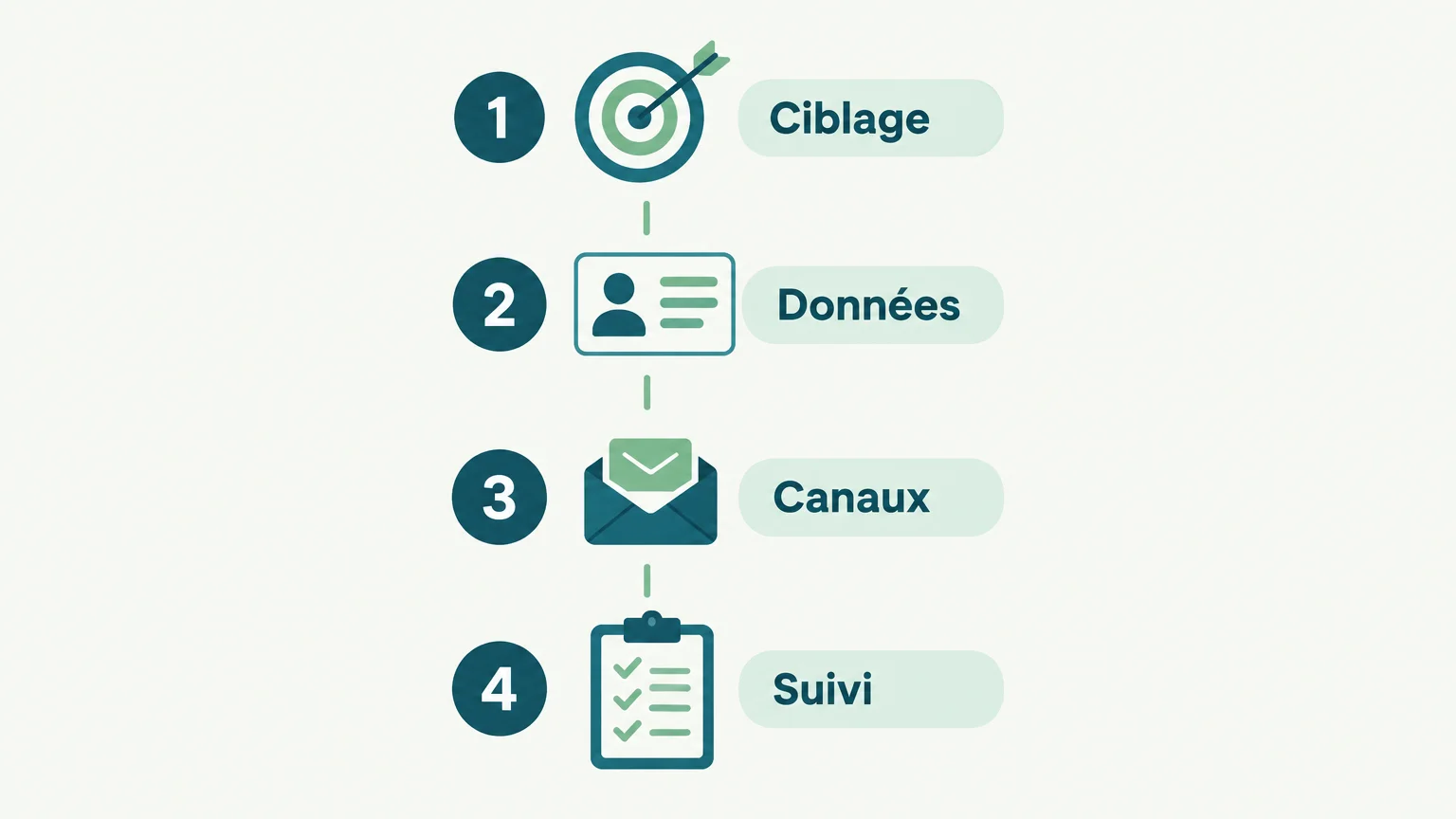
A B2B campaign may start with defining your target company profile, then move on to identifying the right people, verifying contact details and reaching out. Your software should make these stages clear, even when they span several tools.
- Prospect targeting: filters by industry, company size, job role or location.
- Contact qualification: useful information to check whether a company or person fits your target profile.
- Data enrichment: additional business contact details where available, with indicators of their reliability.
- Outreach: preparing or sending messages through the channels your team actually uses.
- Conversation tracking: history, prospect status and next steps, visible to the relevant team members.
Evaluate each stage using a real example. Take a list of twenty target companies, for instance, and check how many steps it takes to identify decision-makers, prepare an approach, log a reply and schedule a follow-up. This exercise quickly reveals whether the problem lies in missing data, follow-up management or a fragmented toolset.
Data quality deserves a dedicated check: an incorrect address or information reused without the necessary precautions can undermine your prospecting. The CNIL outlines the rules that apply to sales prospecting, particularly when reusing publicly available online data.
Specialized tools or an integrated solution: which trade-off is right for you?
A small team may prefer a single workspace that keeps prospecting data and conversations together. A company with an established CRM may instead add a specialized tool for contact research or sequence management. These approaches suit different organizations; neither setup is automatically better than the other.
A stack of specialized tools lets you choose a solution for each need: sourcing, enrichment, outreach or tracking. The trade-off is that you need to check data transfers, duplicates, histories and the combined cost of subscriptions. An integrated solution can reduce these gaps, but you still need to ensure its features fit your team’s process and prospecting channels.
Our approach is a good fit when your team wants to bring several outbound stages into one workflow. Our agent analyzes information about your offering, finds and enriches prospects, prepares messages and follow-ups, then presents the actions in an inbox that brings together LinkedIn, email and phone. Prepared actions require approval before they are executed. To compare other categories and build your own tool stack, also explore our sales prospecting tools.
How do you choose a tool that fits your team?
Before comparing solutions, write down the three bottlenecks that slow your team down most. If finding the right companies is the main challenge, prioritize targeting and data. If contacts reply but follow-ups get forgotten, focus instead on shared history, reminders and next-step management.
- Fit with your target audience: check coverage of your industries, job roles and geographic markets using a real sample.
- Available channels: choose the channels that match how you work, without paying for orchestration you do not need.
- Human oversight: establish which actions are prepared, which are automated and which require approval.
- Team adoption: test setup, onboarding and how easy it is to log a reply or next step.
- Cost and flexibility: compare per-user fees, credits, add-ons, volume limits and cancellation terms.
Run a trial on a representative campaign and decide in advance what you will measure: time spent on research, the proportion of completed records, consistency of follow-ups and ease of finding conversation history. The goal is to check how well the tool fits your daily tasks, not to be won over by a long feature list.
How do you assess the real cost and ease of deployment?
The advertised price does not always reflect the cost of using a tool. Add up licenses, add-ons, enrichment credits, complementary tools and the time needed to maintain integrations. A Dun & Bradstreet report on B2B data discusses the effort involved in managing sales data—a useful reminder to include operational work in your cost assessment.
To compare pricing models, estimate your typical monthly volume and test a lower-volume scenario. A per-user subscription can be straightforward when headcount stays stable; usage-based pricing may better suit fluctuating activity, provided you understand credit consumption per action and the costs of data enrichment.
Our free trial unlocks 500 credits after you set up your account and approve your first campaign, with no credit card required. As of October 2026, 1,000 credits cost €80 excluding VAT; you can adjust your volume or cancel at any time, with no commitment. Credit usage depends on the action: a LinkedIn record costs 1 credit, an email record with an enriched and verified address costs 3, and a phone record with an enriched number costs 9. Failed enrichment is not charged.
What precautions should you take with data and messaging?
A tool does not automatically make a campaign compliant. Check the sources of contact details, the information provided to individuals, how opt-outs are handled, retention rules and team members’ access rights. Also ask where data is hosted and which security measures apply, especially if several tools share the same records.
For electronic B2B prospecting in France, the CNIL states that outreach must relate to the recipient’s profession, and that the person must be informed and able to opt out easily from the use of their contact details. Applicable rules vary by channel and audience. In particular, since August 11, 2026, telephone marketing to consumers requires their prior consent, except where an exemption applies for an ongoing contract. Consult the CNIL’s rules on telephone marketing and check the requirements that apply to your target markets.
Finally, automation should match your desired level of oversight. Define which actions can run automatically, which need review and how the team handles replies. A clear process prevents ill-timed or repetitive follow-ups while leaving salespeople in charge of conversations and opportunity qualification.
Choose based on your process, not a feature list
The right tool connects the stages that cause problems in your organization, with verifiable data, suitable channels and tracking your team actually uses. Test it on a real campaign, calculate its full cost and check the data requirements before rolling it out more widely.
Bring structure to your next prospecting steps
If your team wants to reduce fragmented work across research, message preparation and follow-ups, our approach brings these stages together in a multichannel prospecting workflow. AI prepares the actions, while your team retains approval and ownership of prospect relationships.
We bring LinkedIn, email and phone together in one inbox with a shared history. The free trial unlocks 500 credits after setup and approval of your first campaign, with no credit card required. Explore our sales prospecting solution to see whether this approach fits your team.
Frequently asked questions
Is prospecting software different from a CRM?
A prospecting tool generally focuses on research, qualification and initial outreach. A CRM often covers a broader scope of customer relationships and sales tracking.
Should you choose an all-in-one tool?
An integrated solution can reduce data transfers and switching between interfaces. Specialized tools also work well if your team already has a reliable process and integrations.
Which features should you check first?
Start with the features that address your main challenge: targeting, enrichment, outreach channels or tracking. Then check that conversations and next steps remain easy to find.
How can you test software before committing?
Try it on a representative campaign and assess setup time, data quality and follow-up consistency. Also check the pricing model and cancellation terms.
How does the GetCalls trial work?
We unlock 500 credits with no credit card required after you set up your account and approve your first campaign. Credits are consumed based on the actions and enrichment performed.