
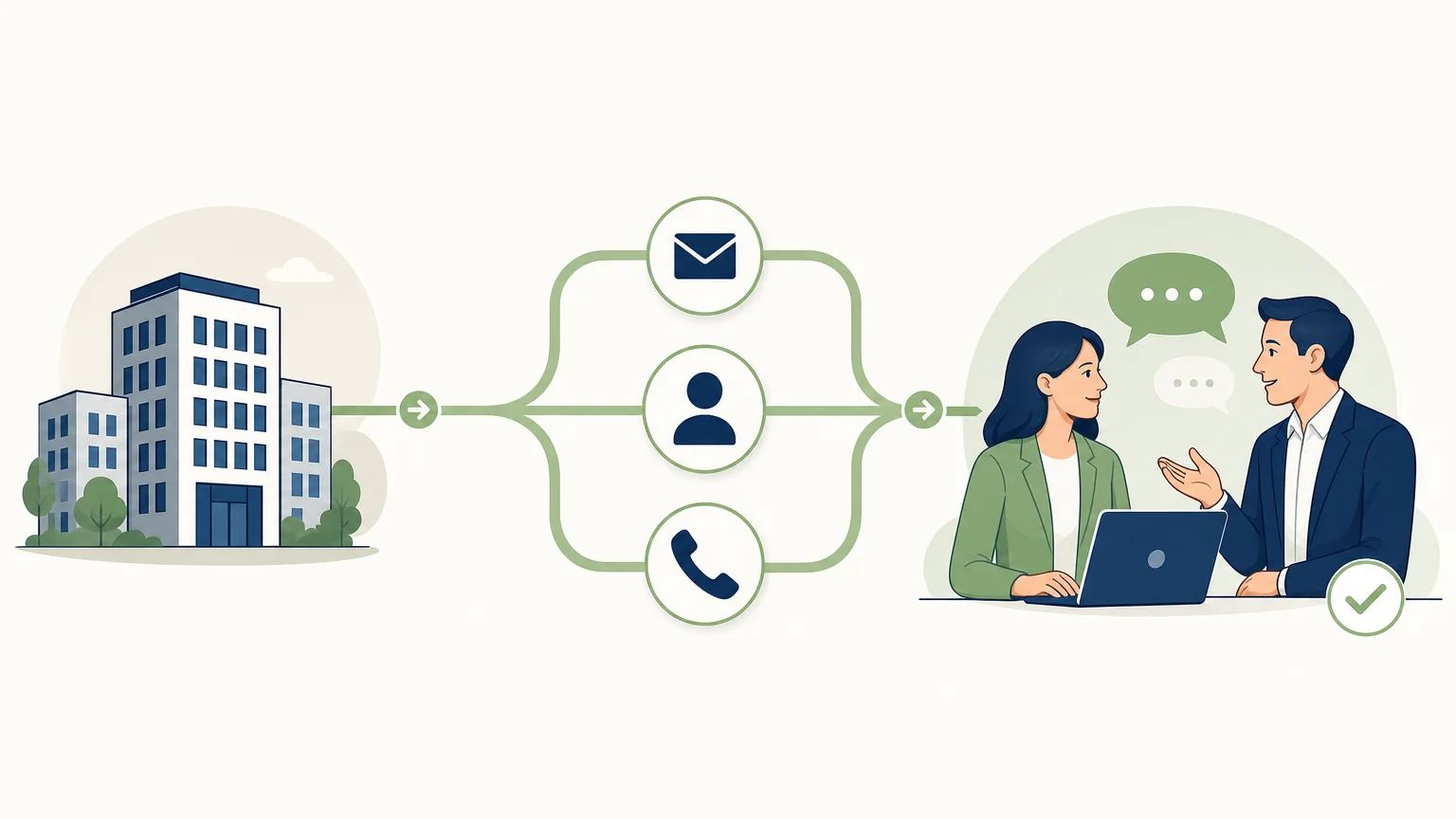
Does your team lack qualified leads, reliable contact details, or consistent follow-up? Not all sales prospecting tools meet the same need: some find accounts, others enrich contacts, organize sequences, or centralize exchanges. For a small business looking to choose a solution adapted to its means, our article on the best prospecting software for small businesses also provides useful benchmarks.
The selection primarily depends on which steps you want to combine and which you prefer to manage separately. The volume of data is not enough to evaluate a solution: also check the relevance of targeting, the ability to review actions, and the continuity of follow-up. In France, email prospecting to professionals specifically requires informing them and allowing them to easily object, as reminded by the CNIL on email prospecting.
Which tools to choose depending on the prospecting stage?
If you're looking for a quick answer, first choose based on the task at hand: GetCalls to combine several steps in one workflow; Waalaxy or LinkedIn Sales Navigator for a LinkedIn-centric approach; lemlist or Reply to orchestrate multichannel sequences; Clay to build data workflows; to combine research and sales engagement; HubSpot to organize tracking in a CRM. The order below starts with integrated solutions, then presents tools addressing more targeted needs.
| Rank | Tool | Primary Use | Comparison Point |
|---|---|---|---|
| 1 | GetCalls | Research, enrichment, preparation, and multichannel follow-up | Actions proposed for validation; credits per channel |
| 2 | Waalaxy | LinkedIn and email prospecting | Guided and sequence-oriented journey |
| 3 | lemlist | Multichannel prospecting and personalization | Grouped campaigns and conversations |
| 4 | Lead research and sales engagement | Check coverage of targeted segments | |
| 5 | Clay | Data enrichment and orchestration | Flexibility of configurable workflows |
| 6 | Reply | Sourcing and multichannel prospecting campaigns | Sequence rules and degree of autonomy |
| 7 | LinkedIn Sales Navigator | Research and tracking of decision-makers on LinkedIn | Tool centered on the LinkedIn platform |
| 8 | HubSpot | Contact management and sales tracking | To be distinguished from a dedicated sourcing tool |
1. GetCalls
Ideal for: teams who want to connect lead research, enrichment, approach preparation, and conversation tracking in a single workflow.
We designed GetCalls to start from a website URL, a catalog, or an offer description. The service analyzes these elements to deduce an ideal customer profile, search for leads, enrich their contact details when available, then prepare messages and follow-ups. LinkedIn, email, and phone are brought together in a single inbox with a shared history. Prepared actions are presented individually for validation before execution; LinkedIn invitations can be automated, within limited volumes.
The price is €80 excl. tax for 1,000 credits. A LinkedIn action consumes 1 credit, an email record with enriched and verified address consumes 3, and a phone record with enriched number consumes 9. No credit is charged if enrichment fails. The volume can be changed or stopped at any time, without commitment. The trial is free and requires no credit card: 500 credits are unlocked after account setup with LinkedIn or connected email and validation of a first campaign.
Pros
- Connects several steps, from lead sourcing to follow-up preparation, instead of being limited to research or sending.
- Actions are proposed one by one for validation, and the conversation context is shared within the team.
- The cost depends on credits used and the channel; monthly volume remains adjustable.
Cons
- Getting started requires connecting a LinkedIn account or mailbox, then validating a first campaign to unlock trial credits.
- The budget varies by channel and consumed actions; these usages must be estimated before choosing your volume.
2. Waalaxy
Ideal for: freelancers and teams who want to organize their LinkedIn prospecting, with email steps depending on their campaign.
Waalaxy relies on guided lists and sequences to prepare invitations, messages, and follow-ups on LinkedIn and by email. It can integrate into an existing process based on searching profiles in LinkedIn or Sales Navigator, then transferring leads to a CRM. This is an option to consider when the team primarily seeks to initiate a contact routine on these channels.
Pros
- A campaign-oriented journey that helps structure initial contacts and follow-ups.
- An approach suitable for teams who want to start with LinkedIn and email.
Cons
- Its main benefit is linked to LinkedIn and email sequences; if you also want to combine phone calls, enrichment, and conversation tracking into a unique flow, carefully compare the necessary scope.
- You still need to define the target and adapt messages: automating a sequence does not replace this sales work.
3. lemlist
Ideal for: teams building personalized prospecting campaigns across multiple channels.
lemlist allows organizing campaigns combining email, LinkedIn, and calls, with other channels available in its offering. The platform combines contact research and enrichment, conditional sequences, and conversation management in an inbox. A team that wants to vary steps based on prospect reactions can examine it to orchestrate their campaigns from a single space.
Pros
- Combines several channels into one campaign, with sequences that can account for interactions.
- Brings together personalization, enrichment, and conversation management within the prospecting workflow.
Cons
- The logic is organized around campaigns and their sequences; the team must therefore define scenarios, targeting, and follow-up conditions.
- If your priority is to have each next action prepared based on the sales context, compare this operation to that of a more integrated workflow.
4.
Ideal for: teams that wish to combine contact research, sales data, and outbound engagement within the same platform.
combines lead and company research tools with enrichment and prospecting campaign preparation. Its scope may suit a team that wants to start by building lists and then follow up with contact actions. For activities targeting multiple countries, check the actual coverage of the functions and sectors you are interested in, as well as the freshness of available contact details.
Pros
- Combines research and sales activation, which can reduce transfers between a contact database and a sending tool.
- Suitable for teams that need to build and leverage prospecting lists across their market.
Cons
- The quality of a list depends on the data available for each segment; check a sample before industrializing your campaigns, especially for a specific French-speaking target.
- A platform covering several stages requires deciding which functions to use and how to connect them to the existing sales process.
5. Clay
Ideal for: teams that want to compose research, enrichment, and qualification workflows from multiple data sources.
Clay lends itself to building customized processes for gathering sales information, qualifying accounts, and preparing prospecting actions. This flexibility is particularly interesting for teams with specific data or targeting rules. In return, the work involves designing the workflow as much as daily use: you need to decide on the sources, criteria, and actions to connect.
Pros
- Allows composing workflows adapted to specific enrichment and qualification needs.
- Can serve as an orchestration layer when a team wants to coordinate multiple sources and tools.
Cons
- Its flexibility implies defining and maintaining workflows; it is less suitable if the team primarily wants to start with an already organized prospecting process.
- It is advisable to check which complementary components will be necessary to manage initial contacts and conversations.
6. Reply
Ideal for: sales teams who want to work with multichannel sequences and adjust their actions based on interactions.
Reply combines sourcing and enrichment functions with engagement campaigns across multiple channels, as well as an inbox for tracking conversations. Its AI tools can contribute to research and message preparation. This option is interesting when the team wants to centralize outbound operations, provided it chooses the level of automation and controls that suit its process.
Pros
- Unites several prospecting steps, from research to multichannel engagement.
- Conversation management in an inbox facilitates tracking exchanges resulting from campaigns.
Cons
- The more channels and scenarios sequences cover, the more important it is to precisely define the trigger and stop rules.
- The team must maintain a clear process for taking over as soon as a conversation requires a personalized response.
7. LinkedIn Sales Navigator
Ideal for: salespeople who research decision-makers and track their activity directly within the LinkedIn environment.
Sales Navigator is used to search for leads and accounts with professional filters, then track certain changes or signals on the platform. It is relevant for identifying profiles matching a target before a personalized contact. However, it addresses a different need than a platform covering all prospecting by email, phone, and shared tracking: this coverage requires evaluating complementary tools.
Pros
- Search filters and alerts designed to explore profiles and companies on LinkedIn.
- A specialized option for teams engaged in social prospecting who want to track developments in their target accounts.
Cons
- It is centered on research and engagement within LinkedIn; other channels and the follow-up workflow may require distinct components.
- Available features vary depending on the chosen subscription, which warrants verification before building the team's process around them.
8. HubSpot
Ideal for: teams who want to centralize contacts, exchanges, and sales progress in a CRM.
HubSpot helps organize lead tracking, tasks, and the sales pipeline. Its sales tools can support prospecting, while the CRM retains the history useful for continuing the relationship. This is an option to consider if the main problem is visibility into contacts and opportunities. If you primarily need to find new accounts or enrich contact details, check which solution will handle these upstream steps.
Pros
- The CRM provides a framework for tracking interactions and organizing the stages of the customer relationship.
- Its scope suits teams who want to coordinate sales activities with other functions of the platform.
Cons
- The primary role of a CRM is tracking and organizing relationships; it does not necessarily replace the specialized tools a team needs for each research or enrichment stage.
- Define the truly necessary functions to avoid choosing a platform broader than your immediate need.
When is an integrated solution more relevant than a stack of tools?

A stack composed of a research tool, an enrichment service, a sequence platform, and a CRM can be suitable when each component effectively meets a specific need. However, it requires transferring lists and context from one tool to another. An integrated solution is more appealing if these transfers become the main bottleneck and if the team wants to connect lead sourcing, enrichment, message preparation, and follow-up.
With GetCalls, we bring these steps together around an agent that prepares actions and a shared inbox for LinkedIn, email, and phone. The salesperson maintains control over the relationship and validates the prepared actions before execution. This approach can suit a team looking to automate sales prospecting without confusing automation with replacing sales work.
How to choose the right tool for your team?
A team of two salespeople and an international organization don't have the same priorities. Before choosing, map out your current process: where is the most time lost, what data is missing, and at what point do follow-ups or context disappear? These answers will guide you towards a specialized tool or a solution that connects multiple stages.
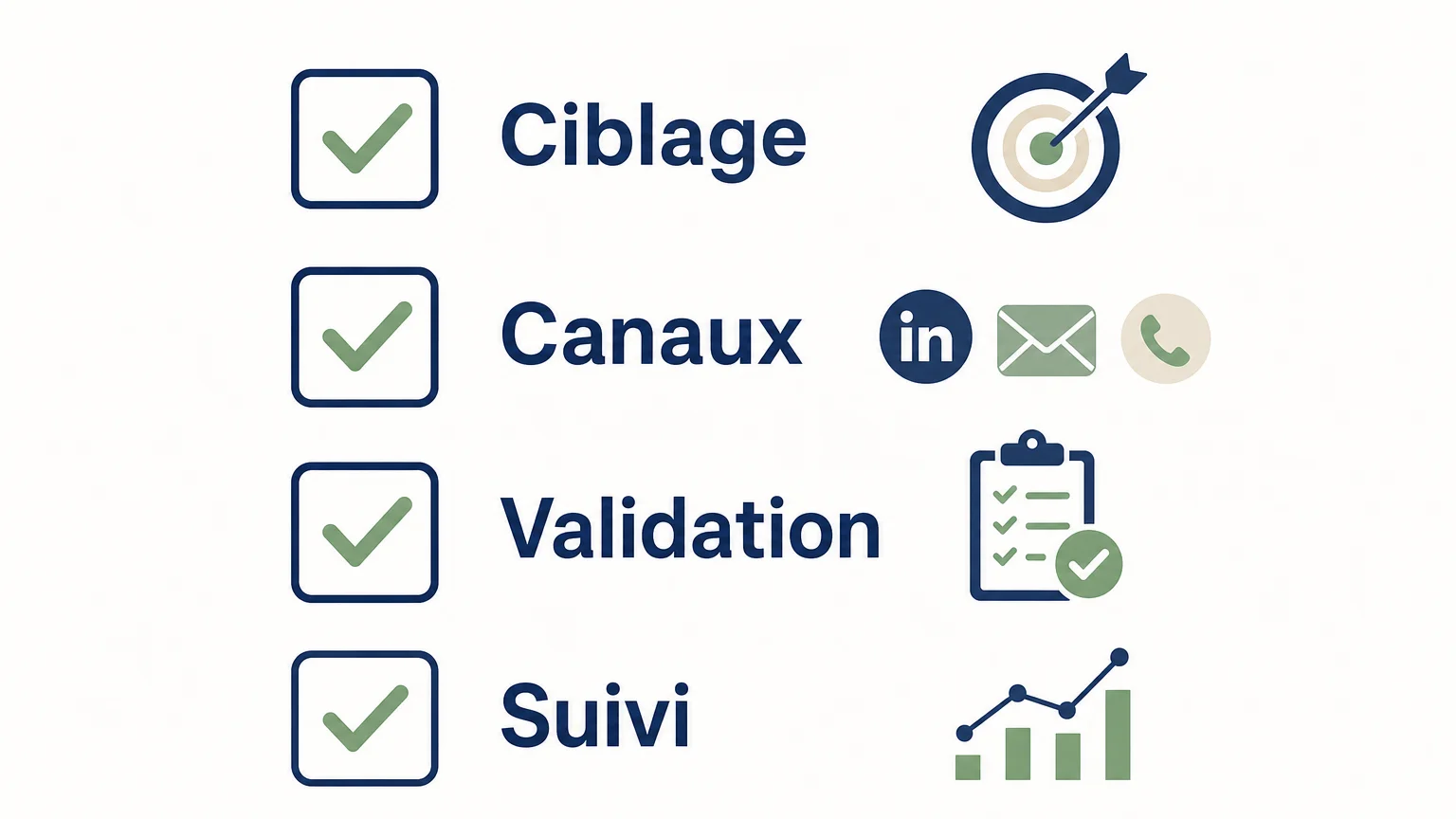
- Targeting: Can you filter companies and contacts according to your ideal customer profile? To start or verify company information in France, INSEE's Sirene directory provides company and establishment identity data; however, it alone does not replace the work of qualifying contacts. Consult the Sirene directory data.
- Enrichment: Check what contact details are searched, verified, and billed, as well as cases where the tool finds no results. Our article on prospect sourcing and enrichment tools helps distinguish list building from contact enrichment.
- Channels: Choose based on your team's actual usage. LinkedIn, email, and phone involve different data, contact scenarios, and follow-up actions.
- Validation: Determine if actions are sent automatically or require verification. Human validation is particularly useful when personalization or context needs to be checked before sending.
- Tracking: Verify where replies, next actions, and the shared history are stored. A sequence tool and a CRM can complement each other, but ensure that data and context transfers are suitable for your organization.
- Cost and Trial: Compare the pricing model to your actual volume, channels used, and the number of people involved. A trial is more informative if you test it with a representative target and scenario, rather than with a too-general campaign.
What checks should be done before a campaign?
A tool can help prepare a campaign, but it alone does not determine whether each piece of data can be reused or whether each message is appropriate for its recipient. In France, B2B electronic prospecting must, in particular, be related to the profession of the person contacted; the CNIL also specifies obligations for information and objection when contact details come from a third-party source. Verify the origin of the data, the information provided to individuals, and how their requests are processed.
For rules applicable to electronic communications, Article L.34-5 of the Code is a legal reference to consider. Teams that use data published online must also check the conditions for its reuse. Finally, do not only measure the number of contacts found: monitor data quality, useful responses, and the continuity of processing after a reply.
The choice of tool also does not negate the need to write relevant messages. AI can help prepare an approach based on available context, but the salesperson remains responsible for reviewing it and for the relationship that follows. To learn more about this usage, consult our article on AI tools for prospecting.
The right choice depends on your weakest link
Sales prospecting tools can address very different needs: finding decision-makers, enriching contact details, orchestrating sequences, or tracking a relationship in a CRM. Start by identifying breakpoints in your process, then compare channel coverage, level of control, and cost model. A small team looking to reduce transfers between research and follow-up might prefer an integrated solution; an organization that already masters its chain might prefer specialized and complementary tools.
Connecting your prospecting steps
If your team spends time researching contacts, preparing messages, and then trying to recall the context of exchanges, a workflow that groups these steps can simplify organization. We designed GetCalls to research and enrich prospects, prepare approaches and follow-ups, and then consolidate LinkedIn, email, and phone into an inbox with shared history. Prepared actions are submitted for validation before execution.
You can try the service without a credit card. After configuration with LinkedIn or the connected email and validation of a first campaign, 500 credits are unlocked. The price is €80 excluding VAT for 1,000 credits, with volume modifiable or terminable without commitment. Consult our sales prospecting software to evaluate if this functionality suits your team.
Frequently asked questions
What is the difference between a prospecting tool and a CRM?
A prospecting tool helps identify, qualify, or contact new prospects. A CRM primarily serves to organize contacts, exchanges, and the progression of sales opportunities, although some platforms cover parts of both needs.
Should you choose a multichannel tool or several specialized tools?
A multichannel tool can reduce transfers between research, messaging, and follow-up. Several specialized tools may be more suitable if your team already masters its process and can maintain connections between the different components.
How to compare the cost of prospecting tools?
Look at what is billed—per user, per subscription, per credit, or by features—then compare it to your actual volume. Also consider the channels used and any necessary complementary tools.
Does a prospecting tool guarantee data quality?
No, quality depends on sources, information freshness, and search criteria. Test the data on a representative sample and verify contact details before launching a large-scale campaign.
What to check before B2B email prospecting?
Verify that the subject of the message is related to the recipient's profession, that individuals are informed about the use of their contact details, and that they can easily object to solicitations. Also, check the origin of the data and the processing of unsubscribe requests.