Automating a connection request or follow-up can save time, but sending sequences indiscriminately can undermine the conversation. A LinkedIn automation tool should therefore be assessed based on what it actually automates and how much control it gives sales reps. To compare prospecting solutions, start by distinguishing sequence-focused tools from those that also organize prospect research and tracking. This selection of LinkedIn prospecting tools helps establish that framework.
You also need to consider the platform’s rules before launching a campaign. LinkedIn’s User Agreement prohibits certain unauthorized automated methods, including those used to access the service or send messages. A tool’s promises, even when paired with usage limits, do not amount to authorization from LinkedIn.
Which tool fits your prospecting approach?
If your main goal is to run sequences of connection requests and follow-ups, a platform focused on LinkedIn outreach may be enough. If you also need to prepare actions, track replies across channels, or preserve context across your team, compare the complete workflow rather than just the number of automated actions.
| Solution | LinkedIn actions | Channels and tracking | Pricing and trial details |
|---|---|---|---|
| GetCalls prospecting agent | Connection requests can be automated; other actions are prepared for approval | Inbox combining LinkedIn, email, and phone | €80 excluding VAT for 1,000 credits; 500 trial credits subject to conditions |
| Waalaxy | Connection requests, messages, and follow-ups within sequences | LinkedIn and email; conversation management and syncing with sales tools | 14-day free trial |
| lemlist | LinkedIn touchpoints in automated campaigns | Multichannel campaigns and a unified inbox | 14-day free trial |
| Reply | LinkedIn automation offered as an add-on | Multichannel sequences and a unified inbox | Check the add-on cost for your chosen plan |
GetCalls prospecting agent
For teams looking to connect LinkedIn with their other sales conversations, our agent prepares actions based on the context of your offering and prospects. LinkedIn connection requests can be automated; prepared actions are presented individually for approval before execution. LinkedIn, email, and phone conversations are brought together in one inbox, helping preserve your prospecting history.
Best for: teams that want to combine LinkedIn tracking with research, outreach preparation, and conversations across multiple channels.
Our pricing is credit-based: €80 excluding VAT for 1,000 credits, or €0.08 per credit. Each LinkedIn action card uses one credit. Once you set up your account with LinkedIn or email connected and approve your first campaign, 500 credits are unlocked with no credit card required. To learn how connection requests work specifically, read our article on how to automate LinkedIn connection requests.
Pros:
- Approval of prepared actions gives sales reps control before execution.
- The inbox brings LinkedIn, email, and phone activity together in a shared history.
- Usage-based pricing lets you choose a monthly volume that can be adjusted or canceled with no commitment.
Cons:
- Prepared actions require human approval, apart from connection requests that can be automated. The tool is therefore not designed for fully hands-off prospecting.
- The credit-based model requires you to estimate your desired volume of actions and data enrichment.
Waalaxy
If your priority is to build outreach sequences from LinkedIn profiles, Waalaxy offers campaigns combining connection requests, messages, and follow-ups. Its offering also includes email steps, conversation tracking, and syncing with sales tools.
Best for: independent professionals and teams that want to structure LinkedIn sequences, with the option to add email to their workflow.
The approach centers on building lists and launching campaigns using ready-made sequences. This suits teams that want to organize follow-ups along a defined path. A 14-day free trial is available.
Pros:
- Sequences can combine multiple LinkedIn and email steps.
- Campaign templates give users new to automated prospecting a starting framework.
- Conversation tracking and syncing with sales tools complement sequence delivery.
Cons:
- A sequence-based approach requires selecting the right prospects and campaign path.
- If you need to prepare context-aware actions and coordinate tracking across LinkedIn, email, and phone, compare the inbox and workflow capabilities carefully.
lemlist
For prospecting that goes beyond LinkedIn, lemlist lets you launch automated campaigns with LinkedIn touchpoints and other channels, including email and calls. The platform also offers a unified inbox for managing conversations. A 14-day free trial is available.
Best for: sales teams running outbound campaigns across multiple channels from a single workflow.
This approach goes beyond a simple LinkedIn connection request tool: it is part of a multichannel prospecting platform with prospect research and enrichment features. It may be a good fit if your team wants to coordinate LinkedIn with other campaign steps rather than automate connection requests alone.
Pros:
- Campaigns combine LinkedIn with multiple prospecting channels.
- The unified inbox makes it easier to track conversations generated by campaigns.
- Prospect research and enrichment are integrated into the prospecting approach.
Cons:
- Its multichannel scope may be broader than necessary for a team that only needs to manage a few LinkedIn actions.
- Before choosing, check how LinkedIn actions are approved within the workflow and which plan fits your team.
Reply
When the goal is to coordinate multiple sales channels, Reply offers multichannel sequences and a unified inbox. LinkedIn automation is available as an add-on, with actions such as sending connection requests and messages.
Best for: teams already using multichannel sequences that want to add LinkedIn actions.
The main point to examine is how the offering is packaged: LinkedIn is an additional module rather than the sole focus of the workflow. Confirm the add-on’s cost and scope before comparing the total budget with that of a LinkedIn-focused tool.
Pros:
- LinkedIn touchpoints can be included in sequences alongside other channels.
- The unified inbox brings prospecting conversations together.
- The platform also covers prospect research, enrichment, and reply tracking.
Cons:
- The LinkedIn add-on requires a separate check of its cost and the terms of your chosen plan.
- If your priority is an integrated LinkedIn prospecting workflow with pricing based on action volume, compare how the offering is structured rather than automation features alone.
Why keep human oversight of actions?

A connection request, a message, and a follow-up each have a different context. Approval before sending helps catch unsuitable personalization, a reply that has already arrived, or outreach that is no longer relevant. This is an important distinction between automating a sequence’s execution and preparing actions for a sales rep to review before triggering them.
You also need to consider the platform’s rules: LinkedIn states that third-party software or extensions that automate certain activities on its site are not permitted, and that automated activity can result in account restrictions. Read its automation policy before choosing a tool. Volume limits advertised by a vendor do not guarantee compliance with LinkedIn’s terms.
To maintain operational control, define which actions require review, establish a process for handling replies, and regularly check pending connection requests. An effective campaign adapts to prospects’ responses rather than simply sending an entire list through the same sequence.
How should you compare tools before committing?
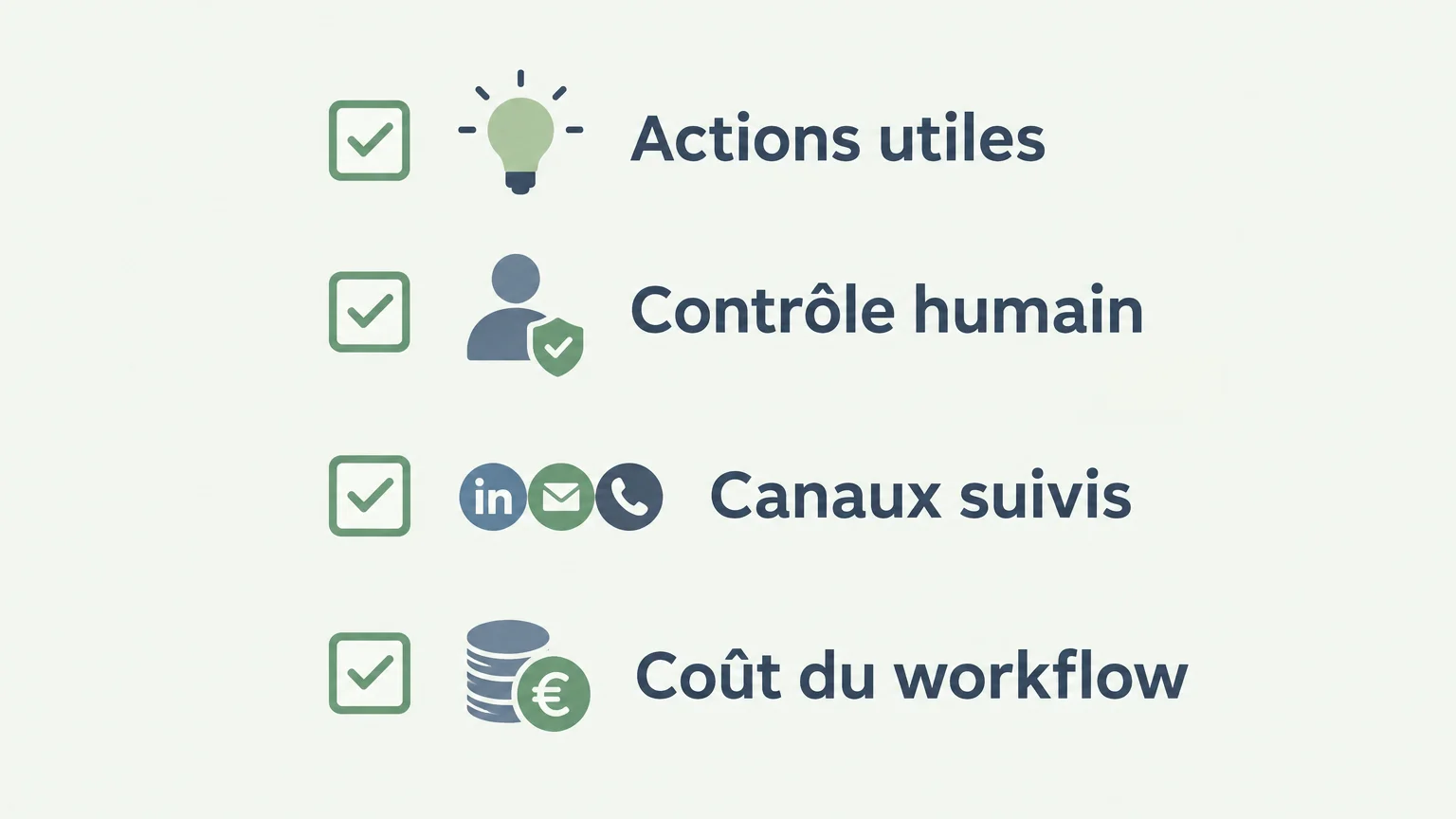
Before testing a solution, take a real campaign and follow its journey from start to finish. Your comparison will be more useful if you check the same steps in each tool, from selecting a prospect to tracking their reply.
- Supported actions: distinguish between connection requests, messages, follow-ups, prospect research, and contact data enrichment.
- Approval: identify what is sent automatically and what needs to be reviewed or approved by a sales rep.
- Conversation tracking: check whether LinkedIn replies remain separate or are brought together with email and phone conversations.
- Workflow cost: compare the cost of all the features you will actually use, trial conditions, and billing terms.
- Terms of use: read LinkedIn’s rules and examine how the software works before connecting an account.
Finally, test message quality with a small group of relevant prospects. Personalized outreach should draw on a genuine detail from the prospect’s profile or company and make it easy for them to respond naturally. Our page on prospecting automation explains this approach to preparation and tracking.
What precautions should you take with prospecting data?
A professional profile being publicly visible online does not mean its data is free from rules. The CNIL explains the rules for direct marketing and notes that reusing personal data for commercial purposes must respect the rights of the individuals concerned. Make sure you can explain why the data is being used and how someone can exercise their rights.
When personal data is processed for direct marketing, the GDPR also provides a right to object at any time. Article 21 of the GDPR states that data must no longer be processed for those purposes when the individual objects. Build a way to identify and honor objections into your prospecting process.
The right choice depends on control and tracking
Choose a tool based on the workflow your team actually needs: LinkedIn sequences, multichannel prospecting, or action preparation with human approval. Before connecting an account, check LinkedIn’s rules, reply handling, the cost of the complete workflow, and data management. A LinkedIn automation tool is valuable when the time saved does not come at the expense of relevant conversations.
Bring structure to your LinkedIn prospecting
If you want to connect prospect research, outreach preparation, and conversation tracking, prioritize a workflow that preserves context and gives sales reps room to approve actions that need it.
Our agent brings LinkedIn, email, and phone together in one inbox. Prepared actions are presented for approval, while LinkedIn connection requests can be automated. The trial unlocks 500 credits with no credit card required after account setup and approval of your first campaign. You can explore LinkedIn prospecting.
Frequently asked questions
What actions can a tool automate on LinkedIn?
Depending on the solution, it can manage connection requests, messages, or follow-ups within sequences. Check separately which actions are actually automated and which still require approval.
Does LinkedIn allow automation on its platform?
LinkedIn prohibits third-party automated methods that are not authorized by the platform. Read its terms before using software, and do not treat a tool’s activity limits as authorization.
What is the difference between automating a connection request and a sequence?
Automating a connection request covers one specific action. A sequence organizes several steps, such as a connection request, a message, and then a follow-up, according to defined rules.
Should messages be approved before they are sent?
Human review lets you check that a message is relevant and appropriate for the context before it goes out. Compare tools based on which actions run automatically and which require approval.
Can a LinkedIn tool track email and phone conversations?
Some solutions bring multiple channels together in a single workflow or inbox, while others focus more on LinkedIn sequences. Make sure the supported channels and conversation history fit the way your team works.