What should you write to encourage someone to accept your connection request? A LinkedIn invitation message works best when it provides context and explains why you are reaching out, without turning into a pitch. Once accepted, a separate follow-up message lets you explore the topic further. To prepare for that step, take a look at our sales message examples.
A meeting, a post, a referral, or a shared professional interest can all be good starting points. The key is to choose a genuine reason, express it simply, and let the conversation develop after you connect. Adapt the examples below to your situation rather than sending them unchanged to a list of people.
5 LinkedIn invitation message examples for different situations
After a trade show, an online discussion, or discovering a profile, mention the detail that explains why you are reaching out. These templates give you a starting point to personalize.
- After meeting at a professional event
“Hi [First name], we spoke at [event] about [topic]. I enjoyed our conversation and would love to stay in touch here.”
- After reading an interesting post
“Hi [First name], I enjoyed your post about [topic], especially your point on [specific detail]. I’m working on this too and would be happy to connect.”
- Following a referral from a mutual connection
“Hi [First name], [Name] suggested I reach out to you about [specific reason]. I’m interested in your experience with [topic]. Would you be open to connecting?”
- When reaching out to a B2B prospect
“Hi [First name], I’m interested in the challenges around [industry or topic], and your experience at [company] caught my attention. I’d love to exchange thoughts on this.”
- When seeking professional advice
“Hi [First name], I’m interested in your path into [role or field]. I’m currently exploring [specific question] and would love to connect and follow your posts.”
LinkedIn’s official help page states that a note can contain up to 200 characters and that basic accounts can personalize up to three invitations per month. These rules may change, so check the limits shown in your account before a major outreach effort. (linkedin.com)
Personalize your message without turning it into a pitch

The same template will not work for everyone. Before writing, identify a verifiable reason to connect: a meeting, a post, a shared experience, or a relevant professional topic. Then replace the placeholders with a detail specific enough for the recipient to understand why you are contacting them.
Keep your note focused on one goal. An invitation is meant to start a relationship, not present your entire offering or secure a meeting straight away. For teams preparing outreach to many contacts, we also explain what to consider with automated LinkedIn invitations. At GetCalls, our agent prepares context-aware messages and presents each action individually for approval; the sales rep stays in control of the prospect relationship.
Check three things before you send
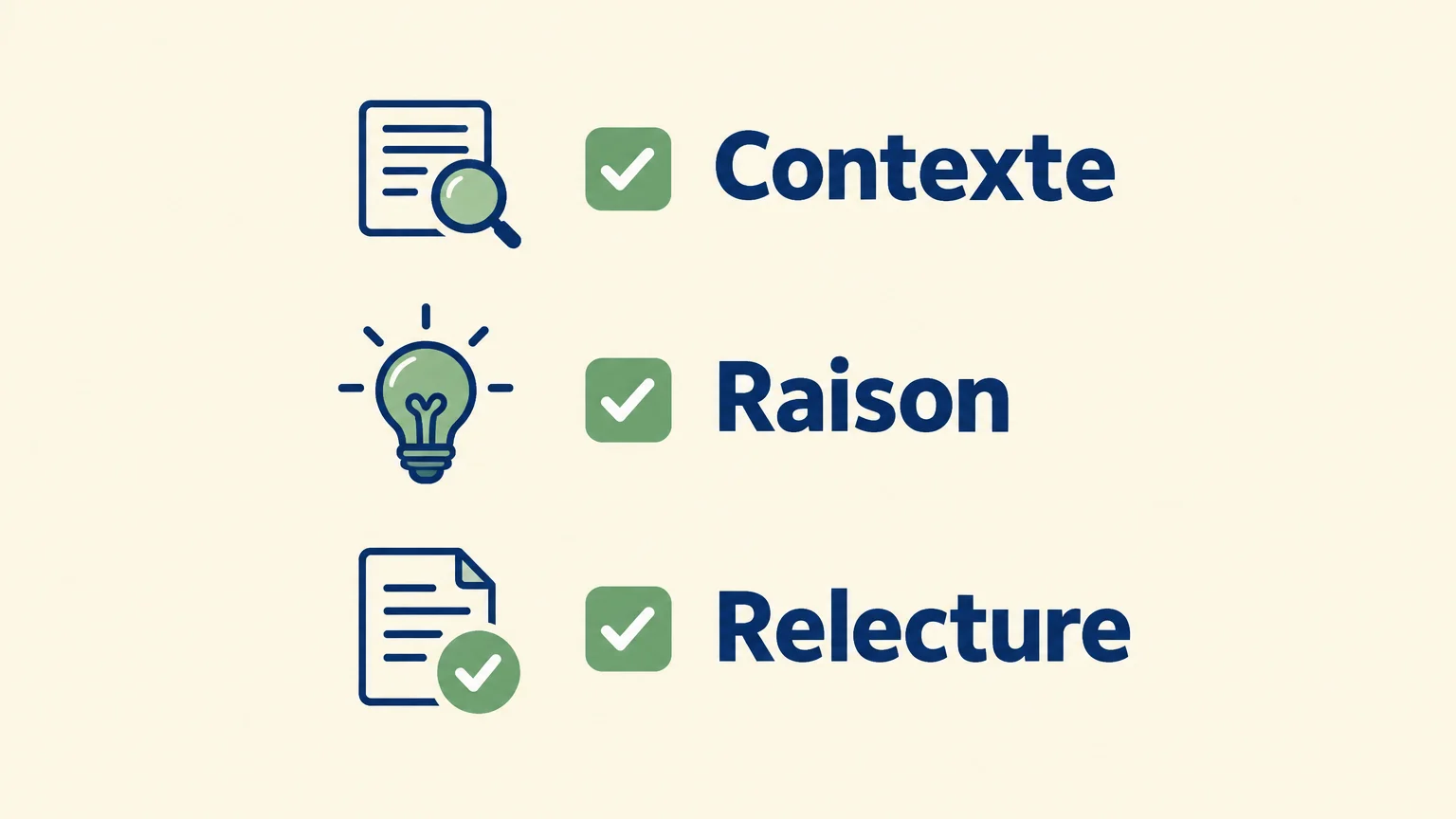
Before clicking “Send,” reread your note from the recipient’s perspective. A best-practice guide published by ASU in 2024 recommends completing your profile and personalizing connection requests to help recipients understand why you are reaching out. (thunderbird.asu.edu)
- The context is clear and accurate: you name the meeting, topic, or mutual connection.
- The reason for reaching out makes sense without assuming the person already knows you.
- A final review removes vague compliments, typos, and overly pushy requests.
Also make sure your profile clearly explains your role and what you do: the recipient may check it before responding. For help organizing each step of this process, we share more tips on effective prospecting on LinkedIn.
Once accepted, keep the conversation thoughtful
Has your request been accepted? Thank the person and return to the topic mentioned in your invitation. If you asked for advice, pose a short, specific question; if you mentioned a shared interest, share a useful resource or ask for their perspective. Avoid immediately sending a lengthy pitch that ignores the context of your exchange.
In an article published on November 12, 2026, AP News shares advice from networking professionals who favor a specific request for information or advice over an immediately transactional approach. A useful conversation starts with a question related to the person’s experience, not a broad request for a favor or referral.
To help you plan the next steps, we also explore ways to improve your LinkedIn response rate. Whatever tool you use, tailor your follow-up to the conversation and stop if the person does not want to continue.
Key takeaways for writing a worthwhile invitation
A personalized LinkedIn invitation comes down to three choices: genuine context, a clear reason to connect, and a measured tone. Choose the template that fits your situation, replace generic details with something specific from the person’s profile or your conversation, and save your follow-up request for the conversation that comes next.
Prepare your next LinkedIn invitations
When researching profiles and writing initial outreach messages takes too much time, a more structured process can help. We built GetCalls to prepare your prospecting based on your offering, while leaving you in charge of approving actions and managing conversations.
Our agent analyzes your website URL, a catalog, or a description of your business, finds prospects, and prepares tailored messages. Actions are presented individually for approval in an inbox that brings together LinkedIn, email, and phone. Explore our LinkedIn prospecting solution to organize this process and stay in control of your outreach.
Frequently asked questions
What should you avoid in a LinkedIn invitation?
Avoid generic compliments, copy-and-paste messages with no personalization, and sales pitches in your first contact. A specific reason to connect makes your approach easier to understand.
Should you ask for a meeting in the invitation?
Generally, an invitation should first establish contact with clear context. Wait until it is accepted before suggesting a conversation, and tie that suggestion to the reason you gave.
Is it worth adding a note to every request?
A note is particularly useful when the person does not know you or the context of your request is not obvious. If the connection is already clear, a brief message is still better than a forced explanation.
How do you contact a prospect without sounding too sales-focused?
Start by showing why their profile or business caught your attention, then mention a relevant professional topic. Save your offering and meeting request for a conversation where they add genuine value.
How do you personalize invitations when prospecting as a team?
Define a few outreach scenarios, then ask each team member to verify the recipient-specific detail before sending. Our prospecting agent can prepare context-aware messages and submit each action for approval.