

Getting too many results, or hardly any? A multi-criteria search applies several conditions to the same database to isolate useful records. In prospecting, choosing your territory and target company profile sets the scope before you add filters; our guide to defining your prospecting territory helps you start with clear boundaries.
The challenge is not to pile on criteria, but to understand which must all be met, which are alternatives, and which simply help rank the results. This distinction helps you avoid ruling out good options and separates database searches from multi-criteria decision support. The same logic applies to a contact spreadsheet and a company search engine.
What is a multi-criteria search?
Imagine a company database where you want to find businesses in a particular industry, located in a specific area, and above a certain size. A multi-criteria search checks each record against these conditions and returns those that meet your chosen criteria. In most searches, conditions linked by “AND” must all be met; “OR” allows several values for the same filter, such as multiple regions.
The selection depends on the quality of the available fields. A headcount filter is only useful if that data is populated and reasonably up to date; a location criterion needs to specify whether it applies to the headquarters or an individual site. France Travail’s workforce needs survey lets you explore 2026 BMO data by geographic area, occupation, and industry. For this edition, nearly 416,000 responses were analyzed from the 2.2 million establishments covered by the survey.
Filtering data or comparing options: two distinct uses
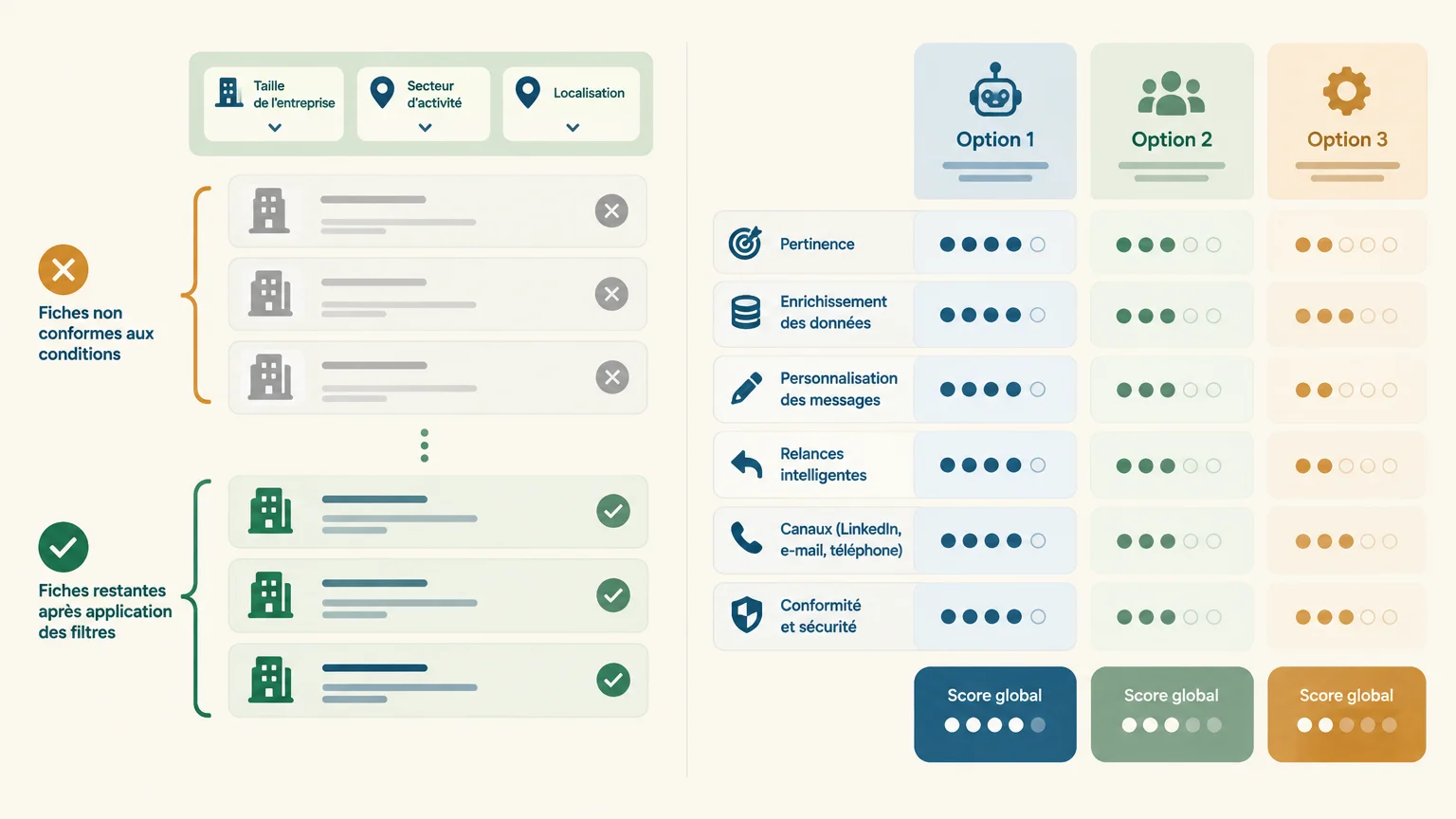
A database search excludes or retains results based on defined conditions. For example, you can keep companies in a particular region that belong to a target industry. This is multi-criteria filtering, not necessarily a way to rank results.
Decision support addresses a different question: several options are assessed against criteria that may carry different levels of importance. When choosing a supplier, for example, you can compare price, lead times, and services without a single filter automatically eliminating an option. A weighted score can be useful here, but it is not necessary for a simple record search.
Before building your query, ask yourself whether you want to exclude results that do not meet your requirements or rank several acceptable options. Mixing these two uses complicates the search and makes its results harder to interpret.
Which criteria should you use to qualify prospects?
To find companies that could be a good fit for your offering, start with the criteria that truly define your target market: industry, location, company size, and organization type. Then add details that support sales outreach, such as the contact’s role, usable contact information, or a signal of potential need. A record that matches your target company profile is still a candidate for qualification, not automatically a prospect ready to buy.
A competency framework published by France compétences describes how to build a prospecting database from essential information, including the company, its contact details, and its industry, and organize it to track outreach activities. In practice, this is a reminder that a relevant filter should also support a concrete next step: checking a record, identifying the right contact, or preparing a follow-up.
Your choice of criteria should follow your ideal customer profile, rather than a list of fields available in a tool. To define that profile and move from selection to qualification, see our guide to finding qualified prospects.
How do you build a search with multiple criteria?
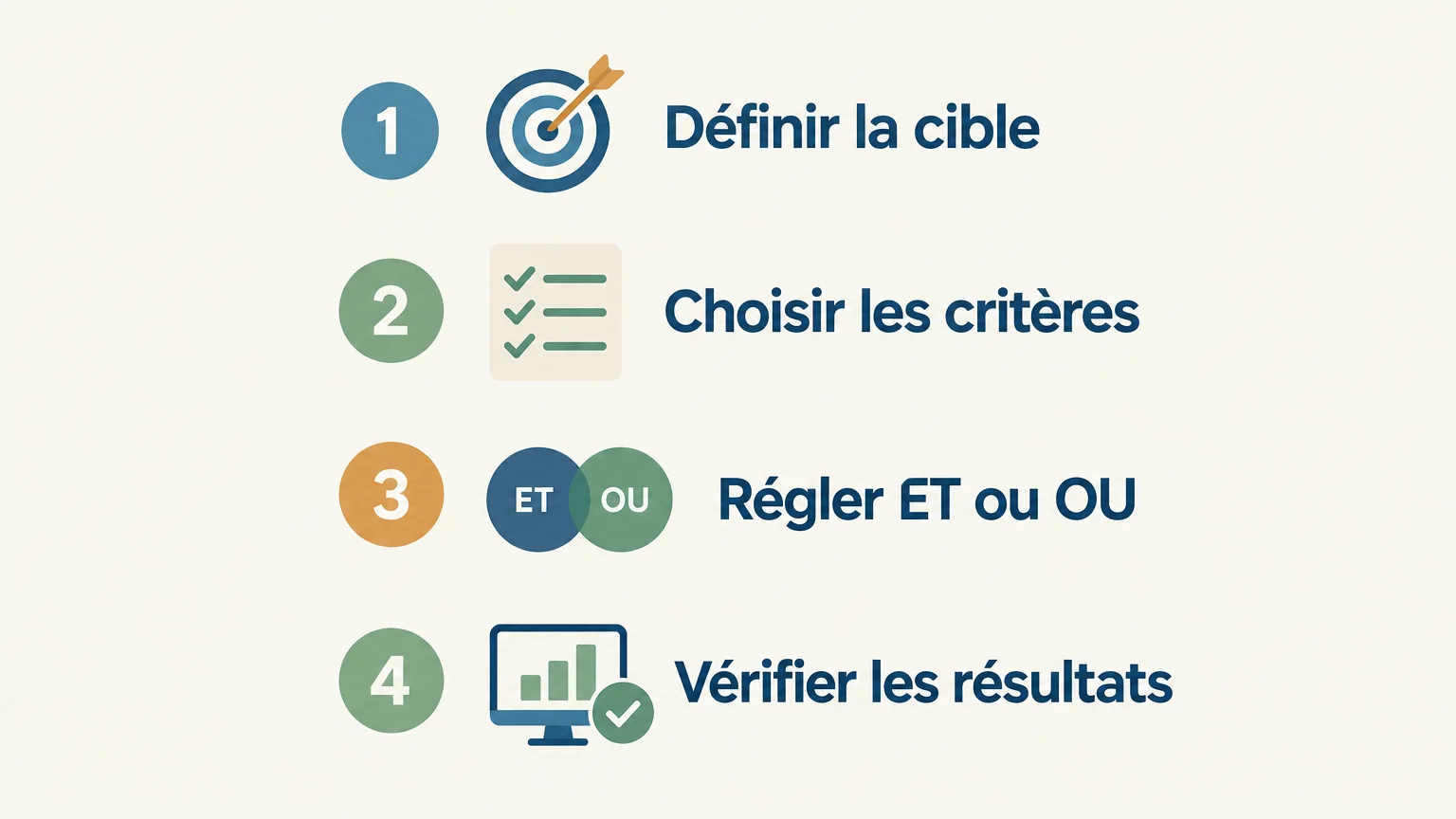
Whether you are working with a contact list or a company database, take it step by step and check the results after each change. This approach helps you quickly spot an overly restrictive filter or an incorrectly configured combination rule.
- Define the objective. Describe the type of result you want, such as companies in a particular industry within a specific sales territory.
- Choose the essential criteria. Start with two or three conditions that are genuinely necessary, and save secondary preferences for the sorting stage.
- Choose the logic. Use “AND” when all conditions must be true. Use “OR” when several values are acceptable, such as multiple industries or cities.
- Check the results. Review a few records, verify the key fields, and broaden the search if expected results are missing.
If the result count drops to zero, temporarily remove the most restrictive criterion to identify what is blocking the query. If the list is too broad, tighten one condition at a time. For a prospecting database, our resource on prospect sourcing and enrichment explains how to fill in useful information after this selection stage.
How do you use the results without confusing filtering with qualification?
A filtered list is a starting point: it shows that records match the selected fields, not that every company has a current need or that every contact is the right person to approach. Verify key data, remove duplicates, and record the next action. If you are planning a campaign, distinguish the criteria for inclusion in the list from the details you need to confirm before contacting someone.
In a different context, an OECD working paper on data screening to detect anticompetitive practices notes that no single filter can identify every relevant case. The scope of that analysis is specific to its subject; however, it illustrates a useful precaution for any search: check the results and adjust the criteria based on the errors you find. (one.oecd.org)
When you need more than a one-off search, our prospecting agent analyzes your offering, finds prospects, enriches their contact details, and prepares personalized actions in a shared inbox. Prepared actions are submitted for approval: AI organizes the prospecting work, while the sales rep stays in control of conversations. To compare the available approaches, explore our sales prospecting tools guide.
Choose the right criteria, then verify
A multi-criteria search works well when every condition answers a useful question and its logic is clear. Start with essential criteria, separate requirements from preferences, and check a sample of results before taking action. In prospecting, filtering narrows the list to review; data verification and qualification then determine which contacts to pursue.
From targeting to ongoing prospecting
A relevant list becomes more useful when its information is verified, enriched, and linked to a next action. Our prospecting agent helps organize this work without replacing sales conversations or human approval.
Once you set up an account with LinkedIn or an email inbox and approve your first campaign, 500 credits are unlocked with no credit card required. Credits are billed on a pay-as-you-go basis, and you can adjust or stop your monthly allocation at any time, with no commitment. To discover our sales prospecting software, explore the product overview.
Frequently asked questions
What does multi-criteria search mean?
It is a search that combines several conditions to select items from a database or catalog. The results depend on the available fields and how the conditions are combined.
What is the difference between “AND” and “OR”?
“AND” keeps results that meet all the relevant conditions. “OR” keeps those that match at least one of the specified values.
How many criteria should you use?
There is no universal number: start with the conditions essential to your objective. Add others one at a time and check whether they exclude useful results.
Is a multi-criteria search enough to qualify a prospect?
No. It identifies records that match your chosen criteria, but it does not, on its own, confirm a need, identify the right contact, or establish whether the information is current. Qualification requires checking these details before starting sales outreach.
Can a tool help process prospecting results?
Yes. Our GetCalls prospecting agent finds prospects, enriches available contact details, and prepares personalized actions that users can approve before they are carried out.